AI for Coding: How to Use AI Coding Assistants the Right Way
Software development has changed more in the last few years than in the previous decade. Developers now write code alongside AI that suggests the next line, explains unfamiliar code, writes tests, finds bugs and, increasingly, edits whole projects on its own. Beginners use the same tools to learn faster, and non-programmers use them to build small apps and automations they could never have built before.
But AI for coding is not magic. It can produce code that looks perfect and is wrong, insecure or built on functions that do not exist. This guide explains the main types of AI coding tools, how to use them effectively, a practical workflow for real projects, the security risks to watch, and how to learn programming with AI without becoming dependent on it.
Types of AI Coding Tools
| Type | How you use it | Best for |
|---|---|---|
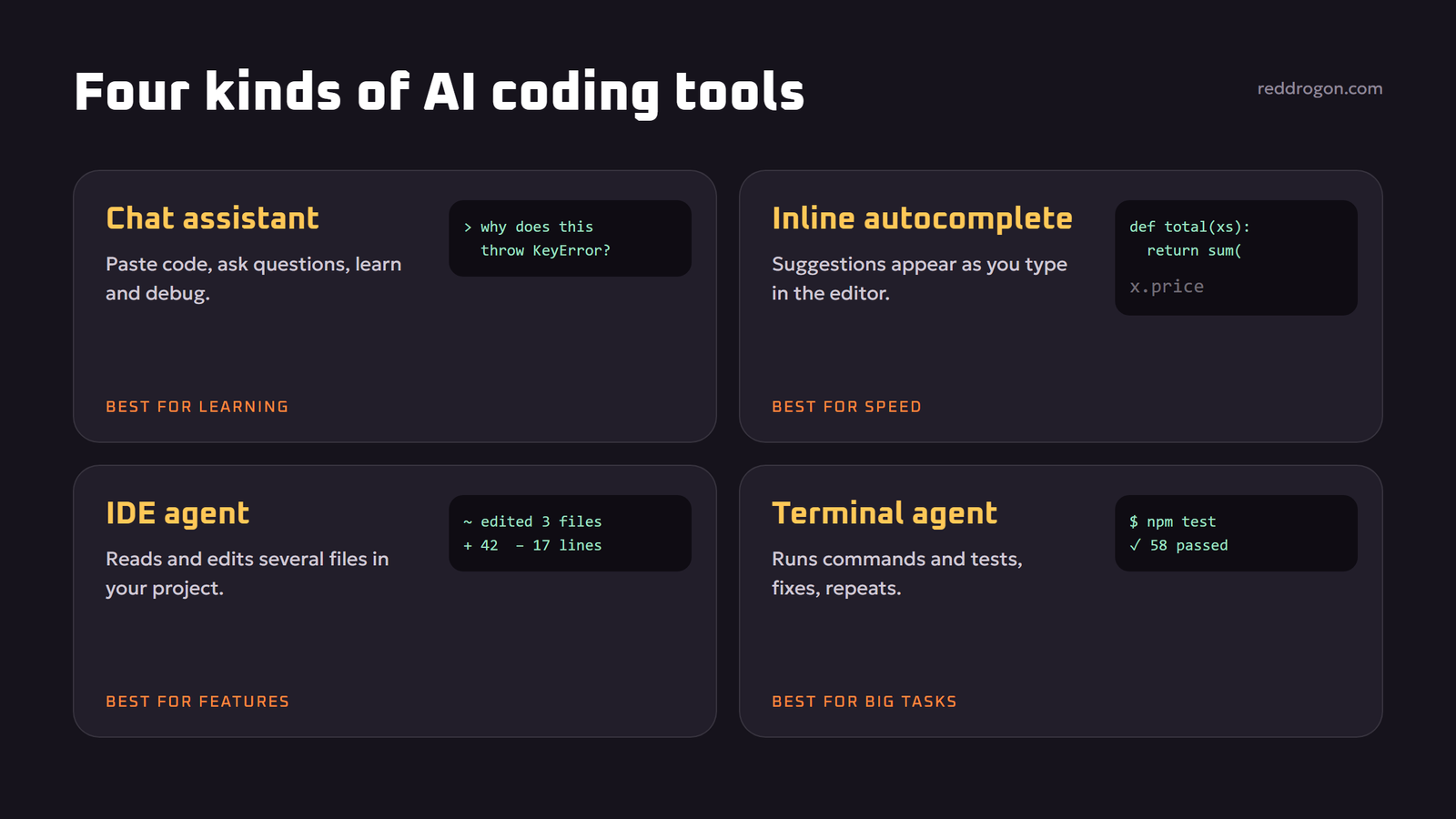
| Chat assistants | Paste code or describe a problem in a chat window | Explanations, debugging help, small snippets, learning |
| Inline autocomplete | Suggestions appear as you type in your editor | Boilerplate, repetitive patterns, finishing functions |
| IDE agents | An assistant inside the editor that reads and edits several files | Features and refactors across a project |
| Terminal and cloud agents | An agent runs commands, tests and edits in a repository | Bigger tasks, fixing failing tests, routine maintenance |
| Code review bots | AI comments on pull requests | Catching bugs, style issues and missing tests |
Popular products include assistants built into editors, such as GitHub Copilot, AI-first code editors, general chat assistants and command-line agents. Features change quickly, so instead of picking by brand, pick by how you work: chat for learning and one-off questions, autocomplete for speed, and agents for multi-step tasks.
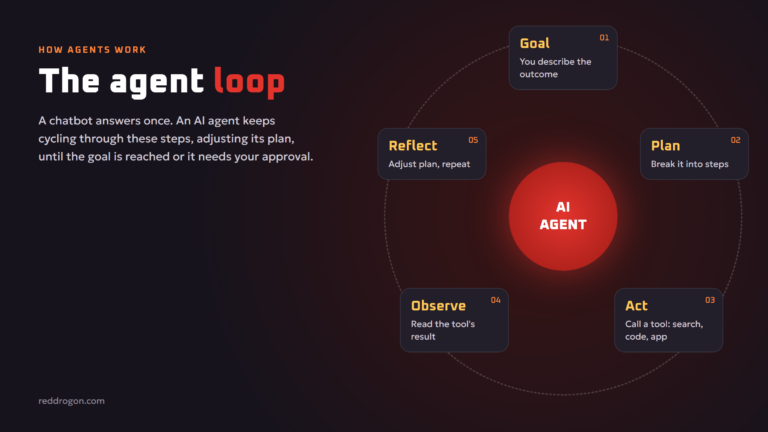
Coding agents are a type of agentic ai: they plan, run commands, read the output and try again. Coding is one of the areas where agents work best, because tests and compilers give clear feedback on every step.
What AI Coding Assistants Are Good At
- Boilerplate and repetitive code: forms, API calls, data models, configuration files.
- Explaining code: “What does this function do, line by line?” is one of the most valuable prompts for any developer.
- Writing tests: generating unit tests and edge cases you may not think of.
- Debugging: reading an error message and stack trace, and suggesting likely causes.
- Translating code: converting between languages or frameworks.
- Documentation: comments, README files and usage examples.
- Regular expressions, SQL and shell commands: small, tricky syntax that is easy to get wrong.
- Prototyping: turning an idea into a working first version quickly.
Where AI Coding Tools Struggle
- Hallucinated APIs and packages. AI may call functions, options or libraries that do not exist. Our guide to ai hallucinations explains why.
- Outdated knowledge. Models may suggest old versions of libraries or deprecated methods.
- Large, unfamiliar codebases. Without the right context, AI misses project conventions and side effects.
- Security. AI can produce code with injection flaws, weak authentication or exposed secrets.
- Architecture and product decisions. AI can implement a design, but deciding what to build and how the system should be structured still needs human judgment.
- Subtle logic. Off-by-one errors, race conditions and edge cases can slip through code that “looks right”.
How to Prompt an AI Coding Assistant
Coding prompts follow the same principles as any good prompt. Our prompt engineering guide covers them in depth. For code, these details matter most:
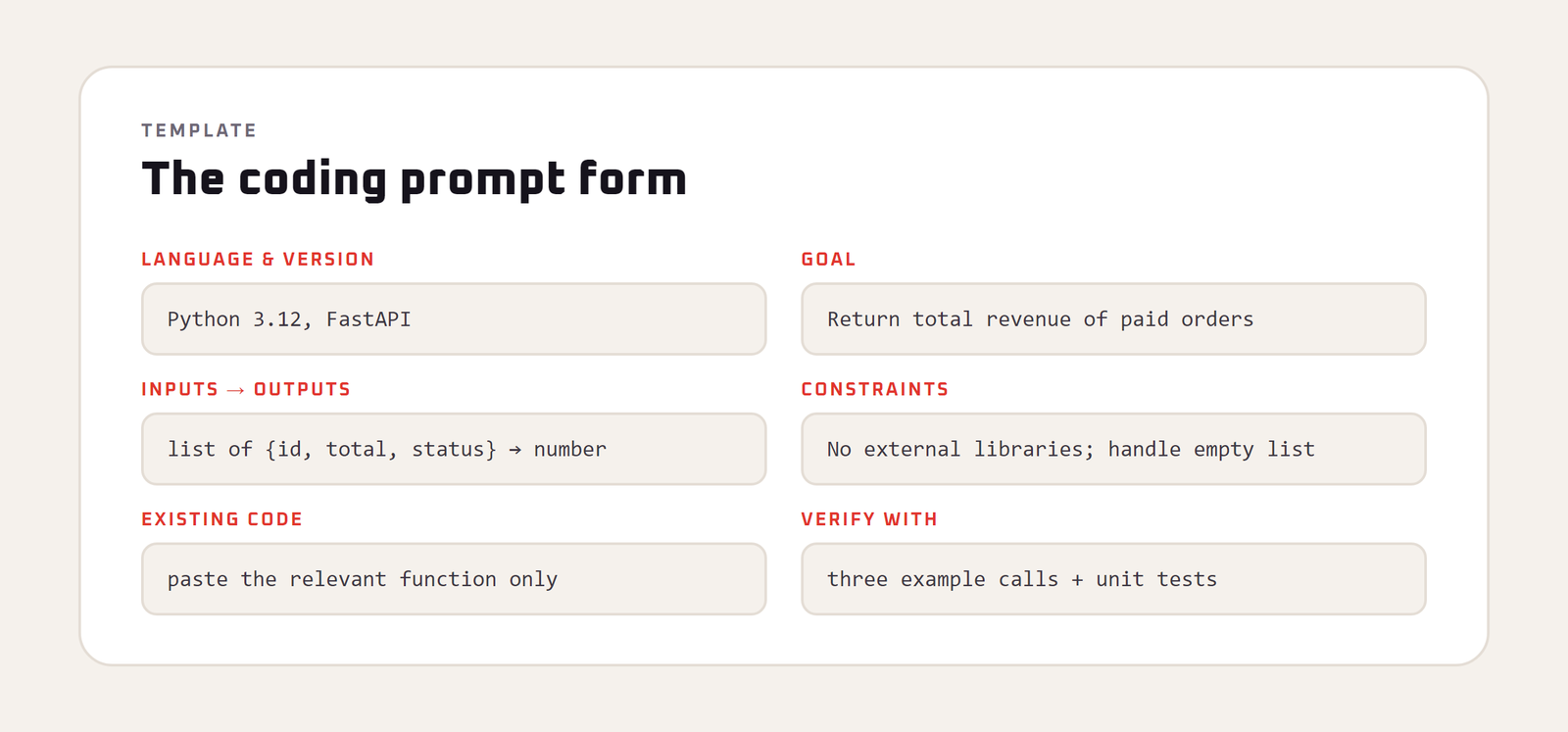
- Language, framework and versions: “Python 3.12 with FastAPI” gives far better results than “Python”.
- The goal and the context: what the code is for and where it fits in your project.
- Inputs and outputs: data types, formats and examples.
- Constraints: no external libraries, must run on Windows, must handle empty input.
- Existing code: paste the relevant function, file or interface, not your whole project.
- The exact error: when debugging, paste the full error message and the code that caused it.
- How to verify: ask for tests or example calls along with the code.
Example: “In JavaScript (Node 20, no external libraries), write a function that takes an array of order objects with fields id, total and status, and returns the total revenue of orders with status ‘paid’. Handle an empty array and missing totals. Add three example calls with expected output.”
A Practical AI Coding Workflow
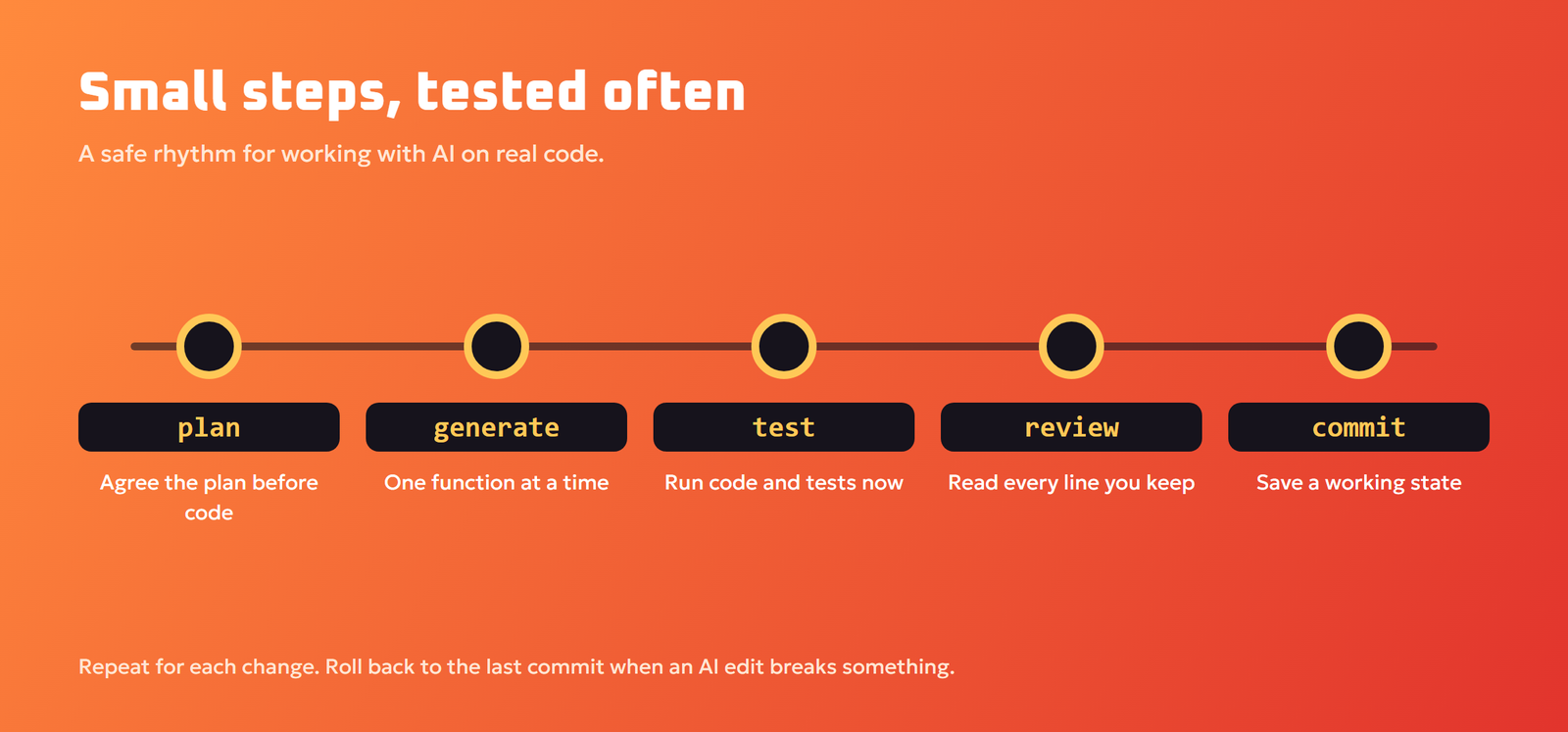
- Plan first. Ask the AI to propose a plan or outline before writing code, and correct it. Fixing a plan is much cheaper than fixing code.
- Work in small pieces. Generate one function or one change at a time instead of an entire app.
- Run it immediately. Execute the code and the tests. Never assume it works because it looks clean.
- Read every line you keep. If you cannot explain a piece of code, ask the AI to explain it or do not merge it.
- Write or generate tests. Tests turn AI from a risky helper into a reliable one, because they catch regressions automatically.
- Use version control. Commit working states often, so you can roll back when an AI change breaks something.
- Review before merging. Treat AI code like code from a new team member: helpful, fast and in need of review.
Working with coding agents
When you let an agent edit files and run commands, add a few extra rules: give it a clear definition of done (“all tests pass and the new endpoint returns 200”), let it work on a separate branch, review the diff before merging, and do not give it production credentials. Keep commands that delete data or deploy to production behind your own approval.
Security Risks of AI-Generated Code
Security deserves special attention, because insecure code can look identical to secure code.
- Injection and unsafe input handling: check that user input is validated and that database queries are parameterized.
- Secrets in code: never paste API keys, passwords or tokens into AI tools, and do not accept code that hard-codes them.
- Fake or malicious packages: AI sometimes suggests package names that do not exist. Attackers can register such names and publish malicious code under them. Verify every dependency on the official package registry before installing.
- Outdated dependencies: check versions and known vulnerabilities with your package manager’s audit tools.
- Improper output handling in AI apps: if you build apps that use AI, never pass model output straight into a database, shell or web page without checks. The OWASP Top 10 for LLM Applications lists improper output handling, prompt injection and excessive agency among the key risks.
For general advice about what to share with AI tools, see our ai privacy and safety guide. If your code is confidential, you can use a coding model that runs on your own machine; our guide to run an llm locally explains how.
Learning to Code With AI
AI can make learning to program much faster, or much shallower, depending on how you use it.
Use AI as a tutor, not a ghostwriter
- Ask for explanations: “Explain this concept with a simple example, then give me an exercise.”
- Write the code yourself first, then ask the AI to review it and explain improvements.
- Ask for hints instead of full answers: “Give me a hint, not the solution.”
- Ask the AI to quiz you on what you just learned.
- Read the errors yourself before pasting them, and try to predict the cause.
Skills that matter more than ever
As AI writes more of the routine code, the valuable skills shift toward reading and reviewing code, debugging, testing, designing systems, understanding security, and explaining problems clearly. These skills let you direct AI tools instead of being limited by them.
AI for Non-Programmers
You do not need to be a developer to benefit. People use AI to write spreadsheet formulas, automate repetitive computer tasks with small scripts, build simple websites and connect apps. For many business tasks, a no-code automation tool with an AI step is even easier than writing code; see our guide to ai automation for small business. If you build an AI feature that answers questions from documents, our guide to retrieval augmented generation is the best place to start.
Will AI Replace Programmers?
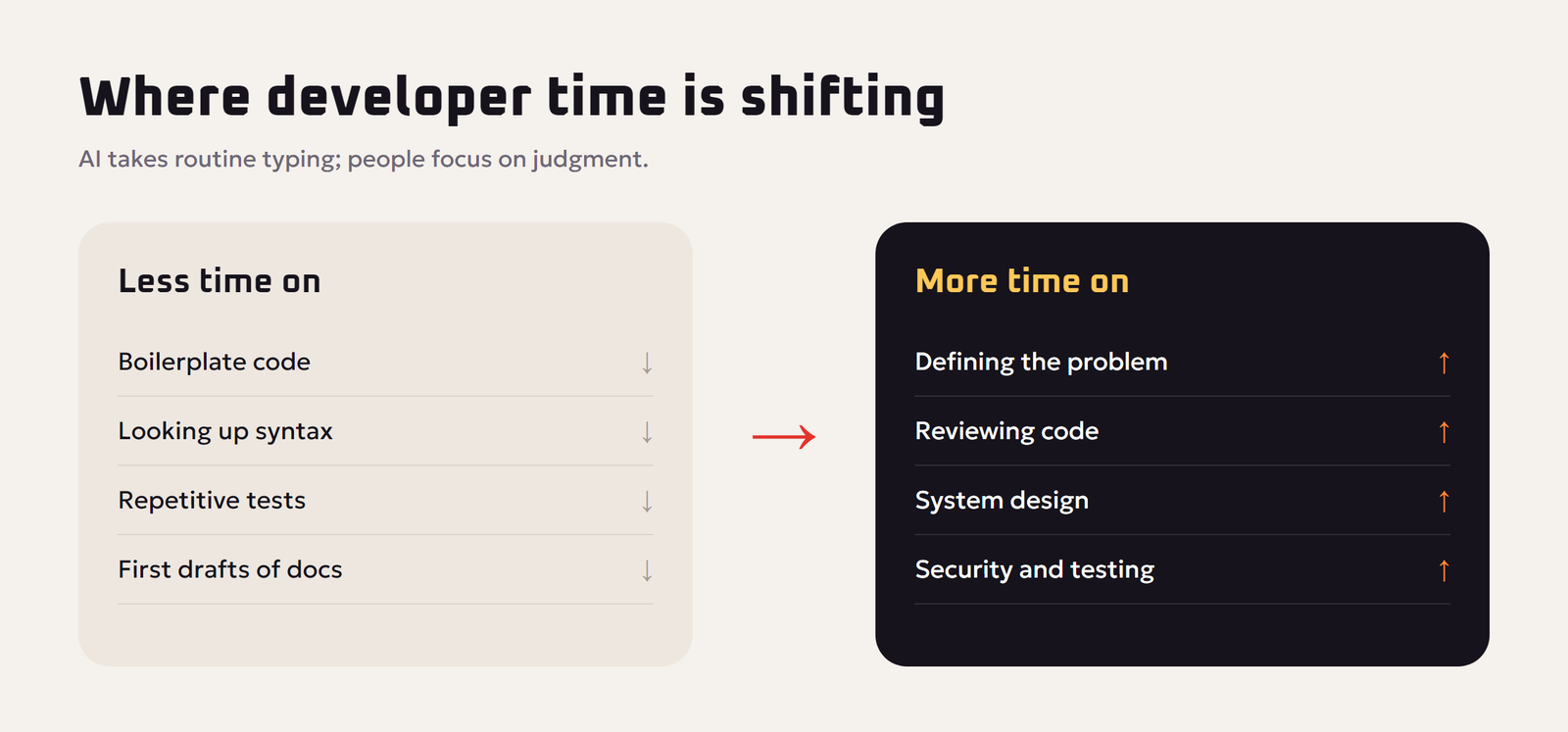
AI is changing the job rather than removing the need for it. It writes routine code quickly, which raises expectations for how much a developer can deliver. At the same time, someone still has to understand the problem, choose the approach, check that the code is correct and secure, and take responsibility for the result. Developers who learn to work with AI tools, and to review their output critically, become significantly more productive.
For newcomers, the takeaway is not to avoid AI, but to make sure you still understand the code you ship. Use AI to go faster on the parts you understand, and to learn the parts you do not.
Example: Debugging With an AI Assistant
Here is what a productive debugging session looks like in practice.
- Share the evidence. “My Python script crashes with this error: [full traceback]. Here is the function it points to: [code]. It should read a CSV file and total the price column.”
- Ask for the cause first, not the fix. “Explain what is causing this error before suggesting any changes.” This helps you learn and catches wrong guesses early.
- Test the hypothesis. The AI suggests that some rows have empty prices. You check the file and confirm it.
- Ask for a minimal fix. “Change only what is needed to skip or count empty prices as zero, and explain the change.”
- Add a test. “Write a test with a CSV that includes an empty price so this bug cannot return.”
This approach takes a few minutes longer than pasting “fix it”, but you end up with a correct fix, a test that protects it and a better understanding of your own code.
Choosing an AI Coding Tool: Questions to Ask
- Does it support my languages and editor? Check that it works well with the stack you actually use.
- How much of my project can it see? Tools that understand the whole repository give better suggestions for real projects.
- Can it run tests and commands? Agents that can execute code and read the results are much more reliable for multi-step tasks.
- What happens to my code? Read the data policy, especially for company code, and check whether business plans exclude training.
- Can I control what it changes? Look for clear diffs, approval steps and easy undo.
- What does it cost at my usage level? Compare plans against how often you will actually use it.
Habits of Developers Who Get the Most From AI
- They keep a short project notes file the AI can read, describing conventions, commands and architecture.
- They ask for plans and tests, not just code.
- They commit before letting AI make large changes.
- They treat surprising suggestions as questions to investigate, not answers to accept.
- They keep learning the fundamentals, because those are what let them judge AI output.
Reusable Coding Prompts
- “Explain this code line by line for someone who knows basic [language].”
- “Find possible bugs and edge cases in this function. Do not rewrite it yet.”
- “Write unit tests for this function, including empty, invalid and very large inputs.”
- “Refactor this code for readability without changing its behavior, and list each change.”
- “Review this code for security issues such as injection, unsafe input handling and exposed secrets.”
- “Suggest a plan to implement [feature] in this project before writing any code.”
Save the prompts that work well for your stack in a notes file, so every session starts from your best instructions.
Key Terms Explained
- Autocomplete: inline suggestions that complete the line or block you are typing.
- Coding agent: an AI that plans changes, edits files, runs commands and tests, and repeats until a task is done.
- Context: the code, files and instructions the AI can see when it answers; more relevant context means better suggestions.
- Diff: a view of exactly which lines an AI change adds or removes, which you should review before accepting.
- Unit test: a small automated check that a function returns the right result for given inputs.
- Dependency: an external package your code relies on; always verify that AI-suggested packages are real and trusted.
- Refactoring: restructuring code to make it cleaner without changing what it does.
Key Takeaways
- Pick the tool type that fits the task: chat, autocomplete or agent.
- Give precise prompts with versions, inputs, outputs and real code.
- Work in small steps, run tests often and commit working states.
- Never paste secrets, and verify every dependency.
- Use AI as a tutor to learn, not only as a code generator.
Frequently Asked Questions
What is the best AI for coding?
It depends on how you work. Chat assistants are best for learning and debugging, inline autocomplete for speed in your editor, and coding agents for multi-step tasks across a project. Try a few on your own code and compare.
Can AI write a complete app?
AI can build simple apps and prototypes, especially with agents, but larger, real-world apps still need human planning, review, testing, security checks and maintenance.
Is AI-generated code safe to use?
Only after review and testing. AI code can contain bugs, security flaws, outdated methods or non-existent packages, so read it, run tests and verify dependencies before using it.
Can beginners learn programming with AI?
Yes. AI is an excellent tutor for explanations, examples and code reviews. Write code yourself first and ask for hints rather than full solutions so you build real understanding.
Why does AI suggest functions that do not exist?
Language models predict plausible code from patterns, so they can invent function names, options or packages that look realistic but are not real. Always check the official documentation.
Should I paste my company’s code into an AI tool?
Only if your company has approved that tool for code. Never paste secrets such as API keys or passwords. For confidential code, use approved business plans or a local model.
What is a coding agent?
A coding agent is an AI that can read a project, plan changes, edit several files, run commands and tests, and repeat until a task is done, rather than only suggesting a snippet.
Will AI replace software developers?
AI is changing developer work by automating routine coding, but people are still needed to define problems, design systems, review code, ensure security and take responsibility for results.
How do I write a good prompt for coding?
State the language and version, the goal, inputs and outputs, constraints, relevant existing code and the exact error if debugging, and ask for tests or example calls to verify the result.
Final Thoughts
AI for coding is one of the most practical uses of AI today. Choose the right type of tool for the job, give precise prompts with real context, work in small tested steps, review every line you keep and treat security as non-negotiable. Used this way, AI coding tools turn hours of routine work into minutes and help both beginners and experts build more than they could alone. Tools and features in this field change quickly; this guide reflects the situation in November 2026.