AI Privacy and Safety: How to Use AI Without Risking Your Data
AI assistants have become the place where millions of people paste their emails, contracts, homework, business plans, medical questions and even passwords. It is easy to forget that a chatbot is not a private diary. Depending on the service and your settings, what you type may be stored, reviewed by people for safety, or used to improve future models.
That does not mean you should stop using AI. It means you should use it the way you use email or cloud storage: with a few smart habits. This guide covers what happens to your data, what you should never share, the privacy settings worth changing, the main AI scams and security threats, and simple rules for families and businesses. It applies to any AI tool, including ChatGPT, Gemini, Claude, Copilot and the assistants on Red Drogon.
What Happens to the Data You Type Into AI Tools?
Every AI service has its own policy, and policies change, so always check the current privacy policy and settings of the tool you use. In general, the data you send may be:
- Stored in your chat history so you can return to it, and kept for some period even after you delete it, often for safety and legal reasons.
- Used to improve models on many consumer plans unless you turn that off. Business and enterprise plans often exclude your data from training by default.
- Reviewed by people in some cases, for example to investigate abuse or improve quality.
- Shared with other services when you connect plugins, apps, browser extensions or agents.
- Exposed by mistakes, such as sharing a public chat link, a compromised account, or a security bug at the provider.
The safest assumption is simple: anything you type into an online AI tool could one day be seen by someone else. Share accordingly.
What You Should Never Share With AI Chatbots
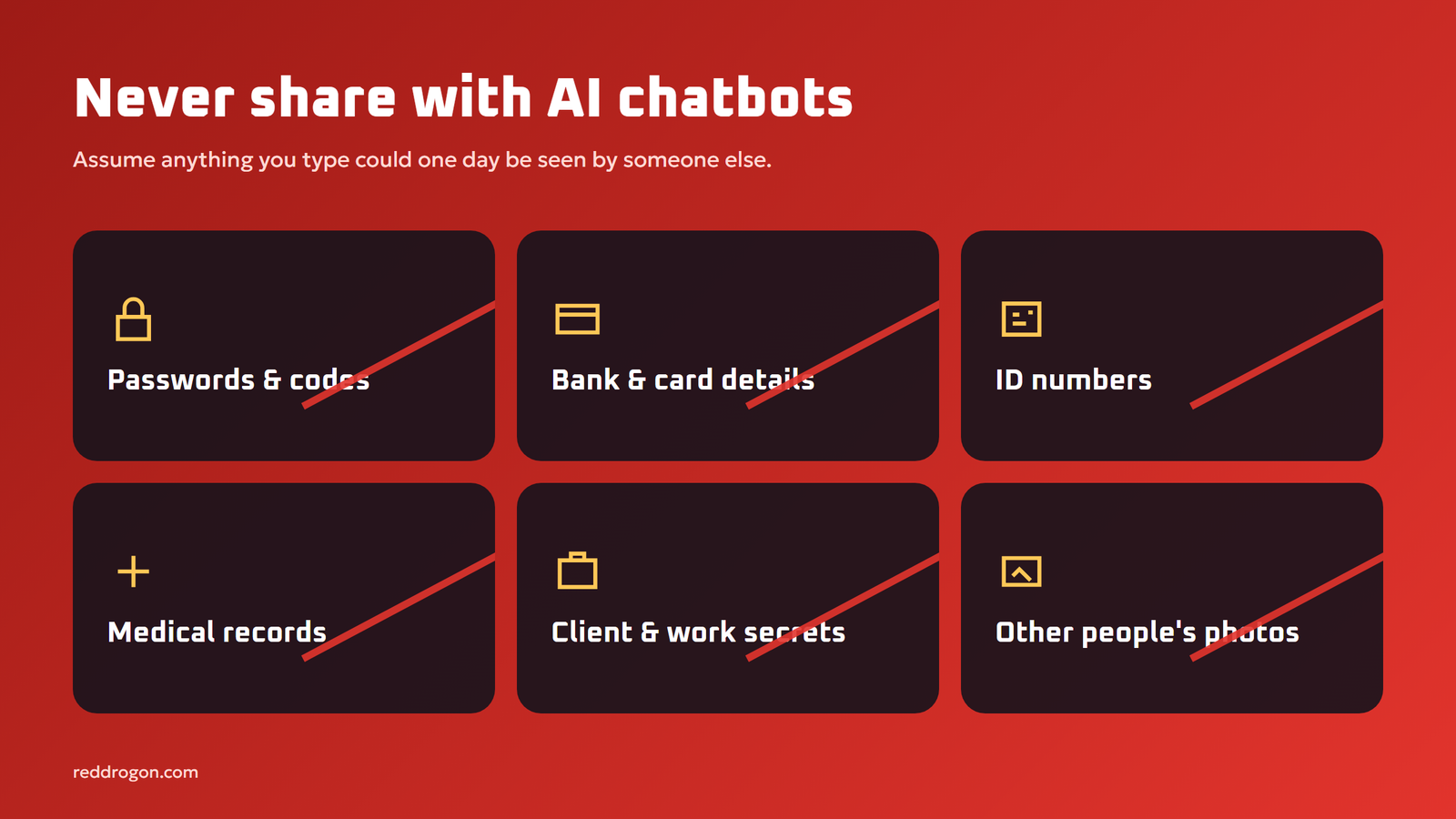
- Passwords, PINs and one-time codes. No legitimate AI task needs them.
- Bank account, card and crypto wallet details, including seed phrases and private keys.
- ID documents and numbers, such as passport, national ID, driving license or tax numbers.
- Detailed medical records linked to your name, unless you use a service designed and approved for health data.
- Confidential work information, such as unreleased products, client data, source code and contracts, unless your employer approves the tool.
- Other people’s private information and photos without their permission.
- Exact home address and daily routine, especially for children.
How to get help without oversharing
You can still use AI for sensitive tasks by removing identifying details first:
- Replace names with roles: “the client”, “my manager”, “Customer A”.
- Remove account numbers, addresses, phone numbers and emails.
- Round or change numbers that are not essential to the question.
- Summarize a document instead of pasting it whole, when the details are not needed.
Privacy Settings Worth Changing Today
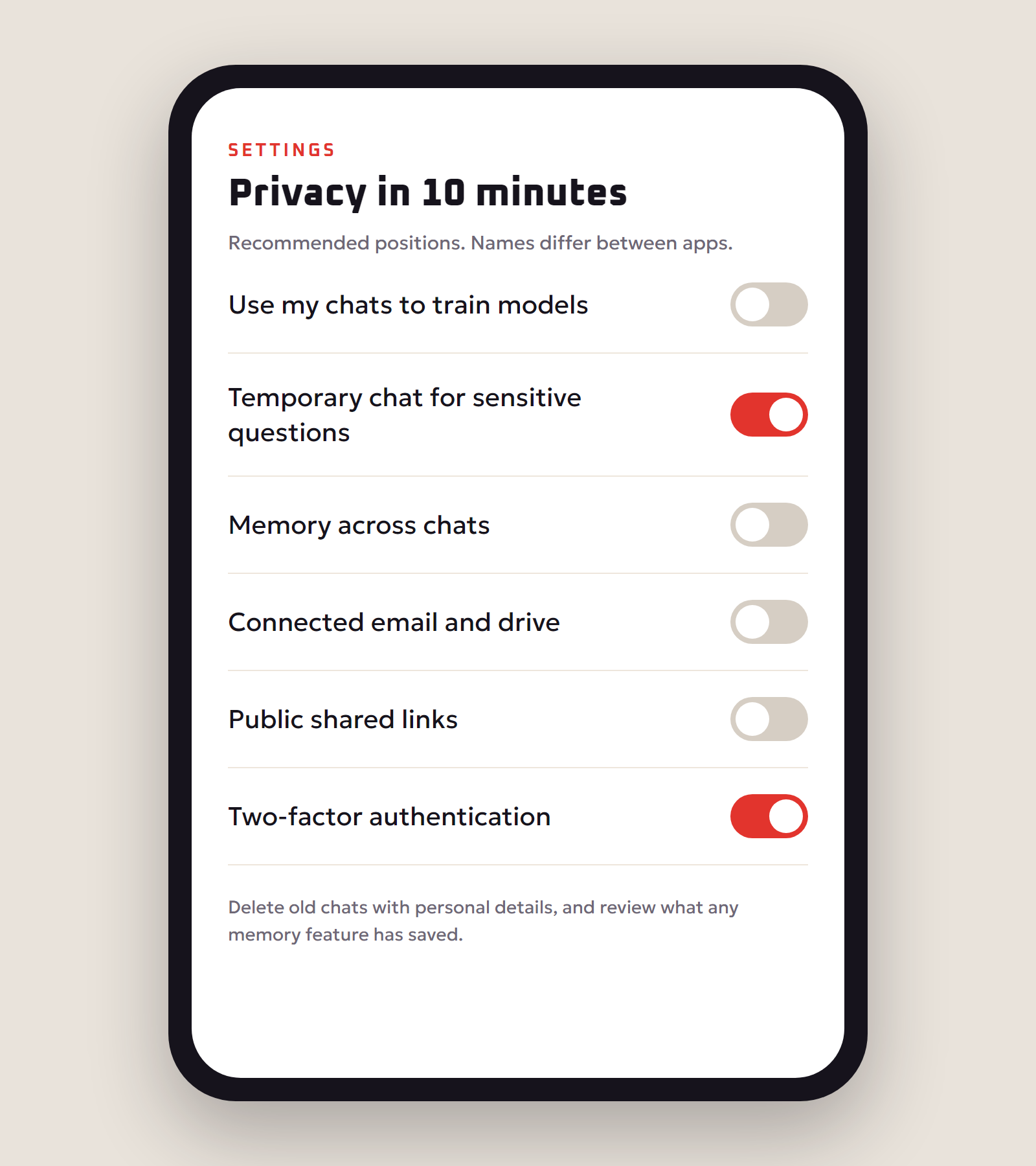
Most major AI assistants offer controls similar to these. Names differ between apps, so look in the settings, data controls or privacy menu.
- Model training opt-out. Turn off the option that lets the provider use your chats to improve its models, if you do not want that.
- Temporary or incognito chats. Use them for one-off sensitive questions so they do not stay in your history.
- Chat history cleanup. Delete old conversations that contain personal details.
- Memory features. Some assistants remember facts about you across chats. Review what is stored and delete anything you do not want remembered.
- Connected apps and permissions. Remove access to email, drives and calendars you no longer need.
- Shared links. Check whether you have shared any conversations publicly and delete those links.
- Account security. Use a strong unique password and turn on two-factor authentication. An AI account can contain months of private conversations.
AI Scams and Security Threats to Watch For
AI is also used by scammers. These are the most common threats:
| Threat | What it looks like | How to protect yourself |
|---|---|---|
| Voice cloning scams | A call that sounds like a family member asking for urgent money | Hang up and call back on a known number; agree a family code word |
| Deepfake video | A fake video of a celebrity or boss promoting an investment or giving instructions | Verify through official channels before acting |
| AI-written phishing | Polished emails with no spelling mistakes asking you to log in or pay | Check the sender and links; never enter passwords from email links |
| Fake AI apps and extensions | Copycat “AI” apps that steal logins or data | Install only from official stores and developers; review permissions |
| Prompt injection | Hidden text in a web page or email that tricks an AI assistant into leaking data | Limit what AI agents can access; require approval for actions |
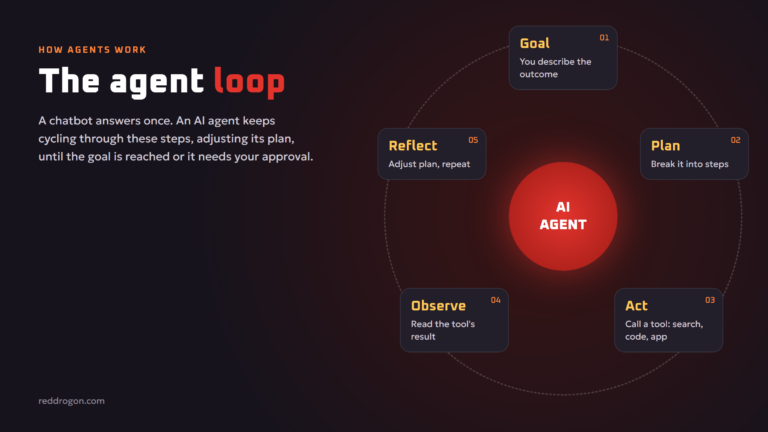
Prompt injection is listed as the top risk in the OWASP Top 10 for LLM Applications, along with sensitive information disclosure. It matters most when you give AI agents access to your email, files or browser. Our guide to agentic ai explains how to give agents only the access they need.
Don’t Trust AI Blindly
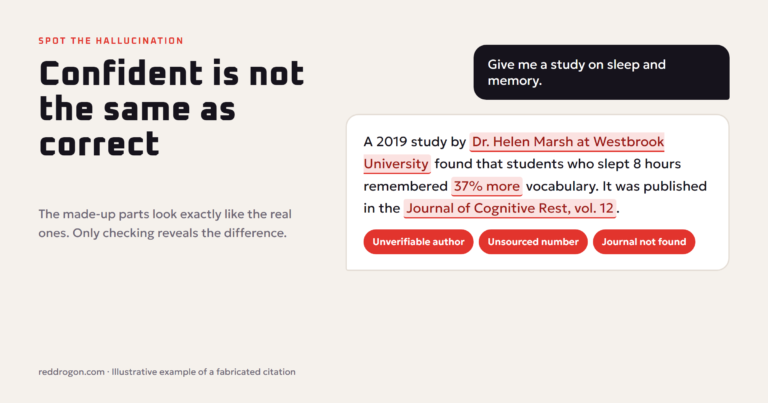
Safety is not only about data. AI tools can produce wrong information with total confidence. Never act on AI advice about health, legal, tax or financial matters without checking official sources or a qualified professional. Our guide to ai hallucinations explains why AI makes things up and how to catch it.
AI Privacy for Parents and Students
- Check age rules. Many AI services set minimum ages and require parental permission for teens.
- Teach the “would I post this publicly?” test before sharing anything personal with a chatbot.
- Never share school names, addresses or photos of children with AI apps or companion chatbots.
- Talk about AI companions. Chatbots designed to act like friends can collect a lot of personal information and influence feelings. Keep conversations about them open and non-judgmental.
- Use AI for learning, not cheating. Ask for explanations and practice questions, and follow school rules on AI use.
AI Privacy Rules for Businesses
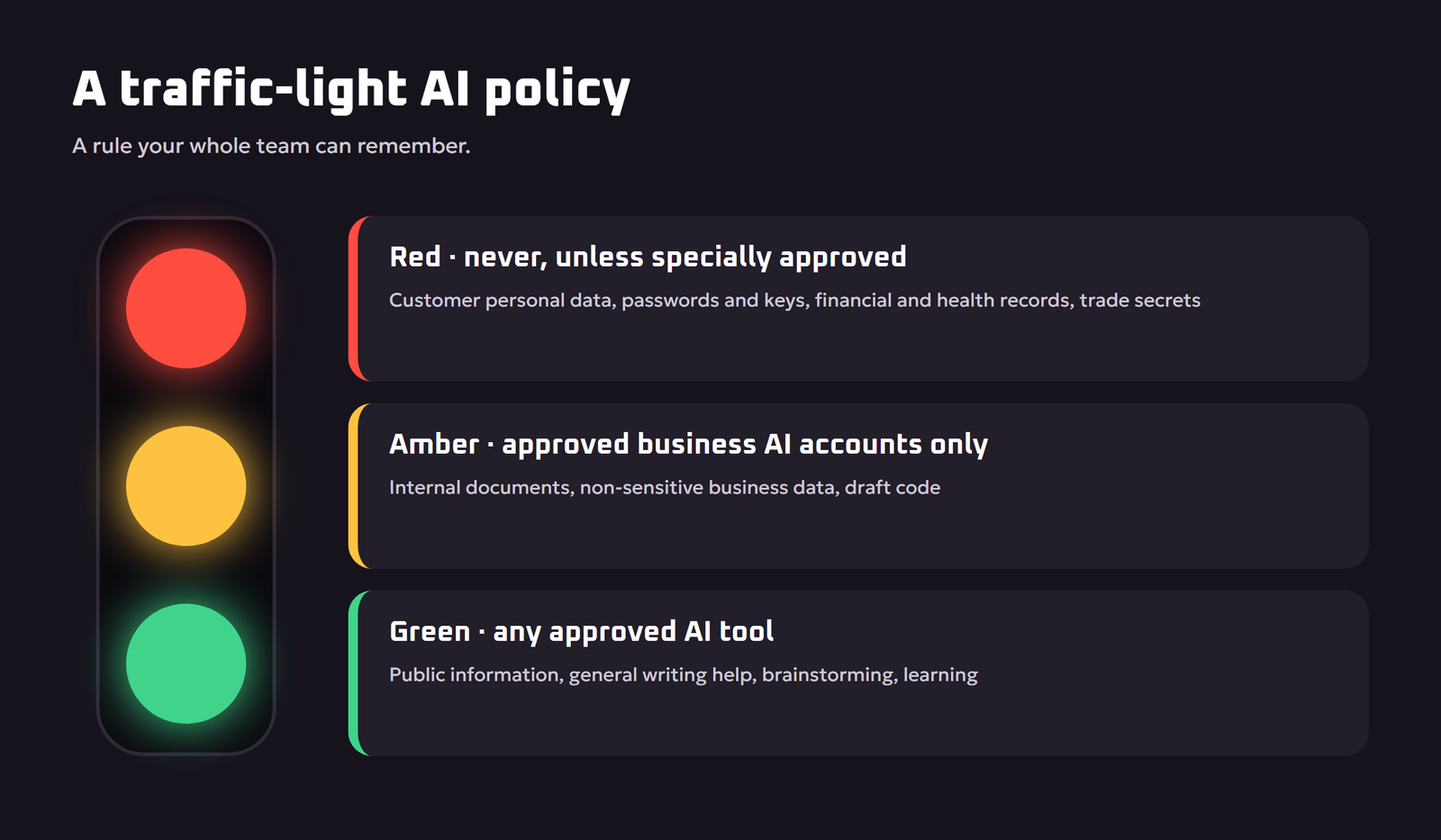
Employees will use AI with or without a policy, so it is better to give clear rules. A simple traffic-light policy works well:
- Green (any approved AI tool): public information, general writing help, brainstorming, learning.
- Amber (company-approved business AI accounts only): internal documents, non-sensitive business data, draft code.
- Red (never in AI tools unless specially approved): customer personal data, passwords and keys, financial records, health data, trade secrets.
Additional steps for businesses:
- Choose business or enterprise AI plans that exclude your data from training and offer admin controls.
- Review data processing terms and where data is stored, especially if privacy laws apply to your customers.
- Limit the data sent to AI steps in automations to what is strictly needed, as covered in our guide to ai automation for small business.
- When AI answers questions from your documents, make sure each person can only retrieve files they are allowed to see. See our guide to retrieval augmented generation.
- Use a recognized framework such as the NIST AI Risk Management Framework to map and manage AI risks, and follow government security guidance such as the UK NCSC’s guidelines for secure AI system development.
- Train staff to spot AI-powered phishing and deepfake requests for payments.
The Most Private Option: Local AI
If you need maximum privacy, run an AI model on your own computer. Your prompts never leave your device, and you can use AI offline. Modern free tools make this surprisingly easy. Our step-by-step guide shows how to run an llm locally with Ollama or LM Studio. Local models are usually less capable than the best cloud models, but for summarizing private notes or drafting sensitive documents they are often enough.
Privacy When Creating Images, Code and 3D
- Images: do not upload photos of other people without consent, and never create misleading images of real people. See how ai image generators work for responsible-use tips.
- Code: never paste API keys, passwords or private customer data into coding assistants. Our guide to ai for coding covers secure habits.
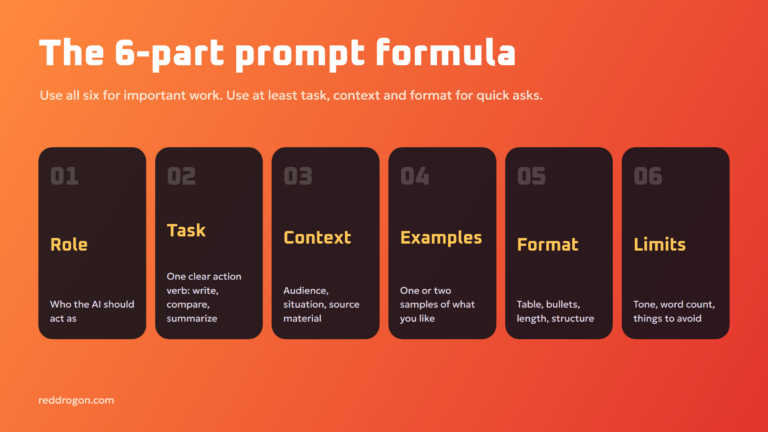
- Prompts: the clearer and more anonymous your prompt, the less personal data you share. Our prompt engineering guide shows how to give context without names.
A Quick AI Safety Checklist
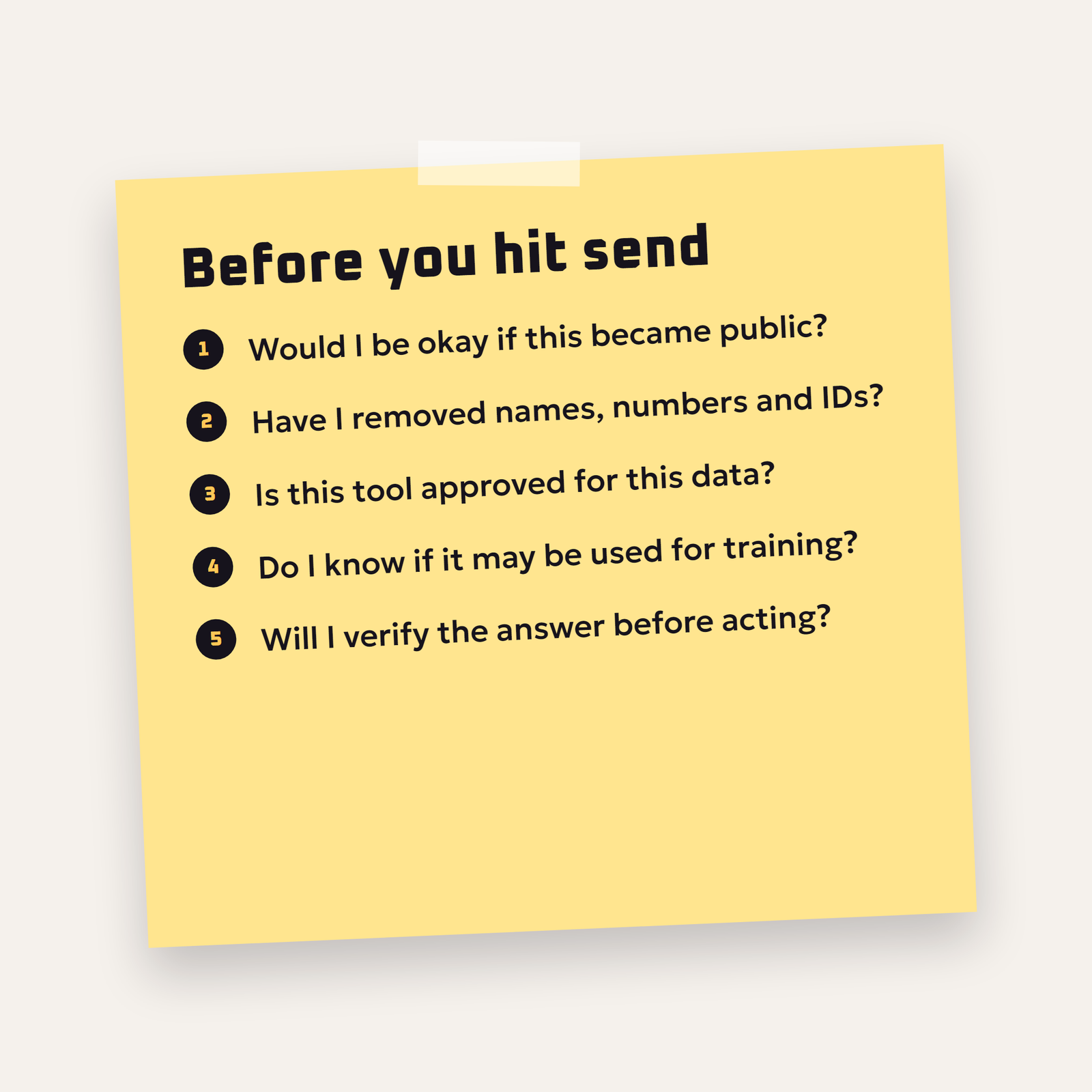
- Would I be comfortable if this text became public?
- Have I removed names, numbers and personal identifiers?
- Is this an approved tool for this kind of data?
- Do I know whether this chat may be used for training?
- Will I verify the answer before I act on it?
What to Do If You Shared Something Sensitive
Mistakes happen. If you pasted a password, ID number or private document into an AI tool, act quickly:
- Delete the conversation from your chat history.
- Change any password or key you shared, and revoke API keys immediately.
- Contact your bank if you shared card or account details, and watch your statements.
- Tell your employer’s IT or security team if work data was involved. Early reporting limits damage.
- Check for shared links to the conversation and remove them.
- Review the provider’s privacy options for requesting deletion of your data, if available.
Safe Habits for Everyday AI Use
- Use separate accounts for work and personal AI use, so company data and personal chats do not mix.
- Be careful with browser extensions that read every page you visit. Install only well-known ones and review their permissions.
- Think twice before connecting accounts. Linking your email or cloud drive to an AI assistant is convenient, but it gives that assistant broad access.
- Keep software updated. AI apps and your operating system receive security fixes regularly.
- Watch screen sharing and voice features. Some assistants can see your screen or listen through your microphone. Turn these on only when you need them.
- Verify urgent requests in person. Any message asking for money, codes or secrets, especially if it is urgent, should be checked through a second channel.
Understanding AI Privacy Policies in Two Minutes
Privacy policies are long, but you can find the important answers quickly by searching the page for a few words:
- “train” or “improve”: tells you whether your content may be used to improve models, and how to opt out.
- “retain” or “retention”: tells you how long data is kept.
- “human review” or “reviewers”: tells you whether people may read conversations.
- “third parties” or “share”: tells you who else may receive your data.
- “delete”: tells you how to remove your data or account.
Common AI Privacy Myths
- “Deleting a chat erases it instantly everywhere.” Not always. Many services keep data for a period after deletion for safety and legal reasons.
- “Paid plans never use my data.” Policies differ by plan and provider. Business plans often exclude training by default, but check the terms for your specific plan.
- “Local AI is automatically secure.” It keeps prompts on your device, but if you expose its server to the internet, others can use it.
- “AI detectors can always spot deepfakes.” Detection tools help, but they are not reliable on their own. Verify through trusted channels.
- “If an app has ‘AI’ in the name, it’s from a big company.” Many copycat apps imitate well-known brands. Check the developer and reviews before installing.
Key Terms Explained
- Training opt-out: a setting that stops a provider using your conversations to improve its models.
- Temporary chat: a conversation mode that does not save to your history, offered by several assistants.
- Data retention: how long a service keeps your data, including after you delete it.
- Anonymization: removing names, numbers and details that identify a person before sharing text.
- Prompt injection: hidden instructions in content that try to make an AI assistant ignore its rules or leak data.
- Deepfake: AI-generated audio, video or images that realistically imitate a real person.
- Two-factor authentication: a second login check, such as a code or app approval, that protects your account if your password leaks.
Key Takeaways
- Assume anything you type into an online AI tool could be seen by others.
- Never share passwords, financial details, ID numbers or other people’s data.
- Review training, history, memory and connected-app settings today.
- Verify urgent requests for money or codes through a second channel.
- Businesses need a simple AI policy and approved tools.
- For maximum privacy, run AI locally on your own computer.
None of these habits take long. Spend ten minutes on your settings today, share this guide with your family or team, and revisit your choices whenever you start using a new AI tool or connect a new account to an assistant.
Frequently Asked Questions
Is it safe to use AI chatbots?
Yes, for most everyday tasks, as long as you avoid sharing sensitive personal or business information, review your privacy settings, secure your account and verify important answers.
Do AI chatbots store my conversations?
Most store your chat history so you can return to it, and many keep data for some time even after deletion. Check the tool’s privacy policy and settings for details.
Can AI companies use my chats to train their models?
On many consumer plans they can unless you turn it off in the settings. Business and enterprise plans often exclude your data from training by default. Always check the current policy of the tool you use.
What should I never tell an AI chatbot?
Never share passwords, one-time codes, bank and card details, ID numbers, detailed medical records, confidential work data or other people’s private information.
How can I use AI without sharing personal data?
Replace names with roles, remove numbers and contact details, summarize instead of pasting whole documents, use temporary chats, or run an AI model locally on your own computer.
What is an AI voice cloning scam?
It is a scam where criminals use AI to copy someone’s voice and call their family or colleagues asking for urgent money. Hang up and call the person back on a number you know.
Is local AI more private than online AI?
Yes. A model running on your own computer processes your prompts on your device without sending them to an AI company, as long as you do not expose it to the internet.
Should my business have an AI use policy?
Yes. A simple policy that says which tools are approved and which data must never be entered protects customer data and trade secrets and gives staff clear guidance.
Can AI agents be hacked?
AI agents can be manipulated through prompt injection, where hidden instructions in web pages, emails or files try to make the agent leak data or take unwanted actions. Limit their access and require approval for important actions.
Final Thoughts
AI is one of the most useful tools you can have, and a few habits keep it safe: share less, anonymize more, adjust your privacy settings, secure your accounts, be suspicious of urgent requests, and verify before you act. Businesses should add clear rules and approved tools. Do that, and you get the benefits of AI without handing over your private life. Privacy settings and policies change often; this guide reflects common options as of November 2026, so check each service’s current policy.