How AI Image Generators Work: Diffusion Models Explained Simply
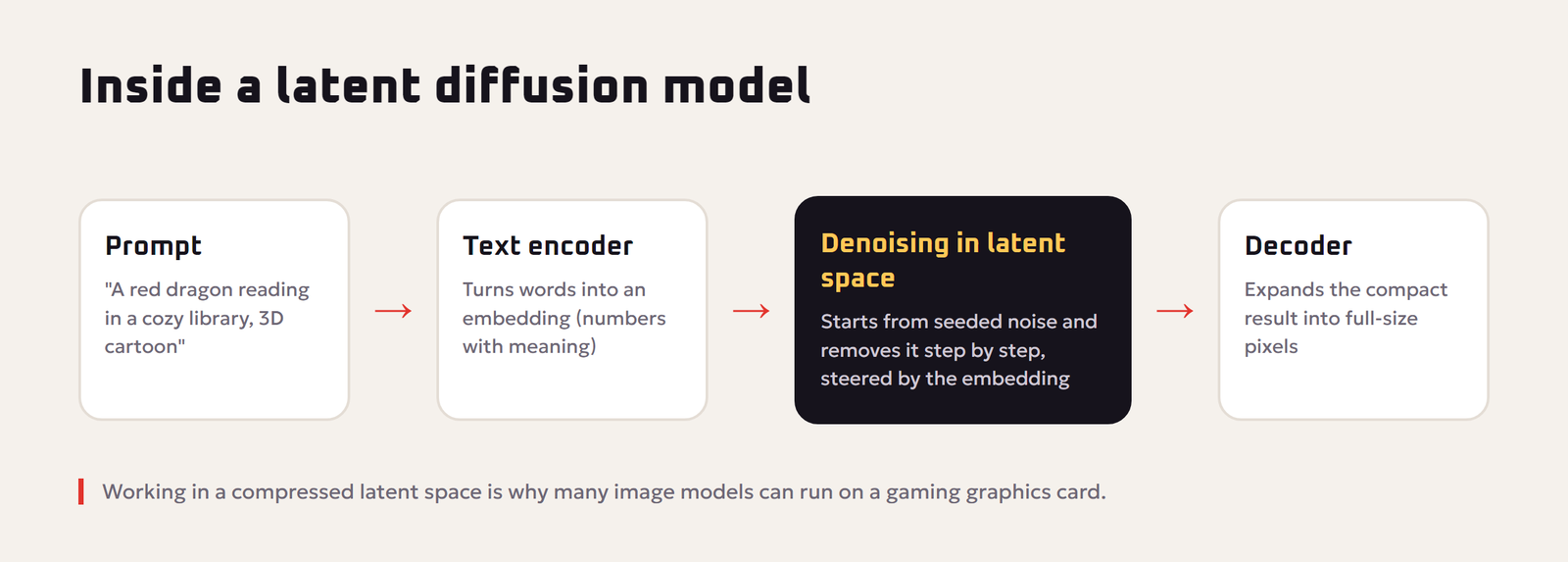
Type “a red dragon reading a book in a cozy library” and a few seconds later you have a picture that never existed before. AI image generators such as Midjourney, DALL-E, Stable Diffusion, Imagen, Flux and the image studio inside Red Drogon can feel like magic. They are not. They follow a clear process that you can understand without any math, and once you understand it, you will write better prompts and get better pictures.
This guide explains how AI image generators work step by step, what settings like seed, steps and guidance actually do, why AI still struggles with hands and text, and what you need to know about copyright and responsible use.
The Short Answer
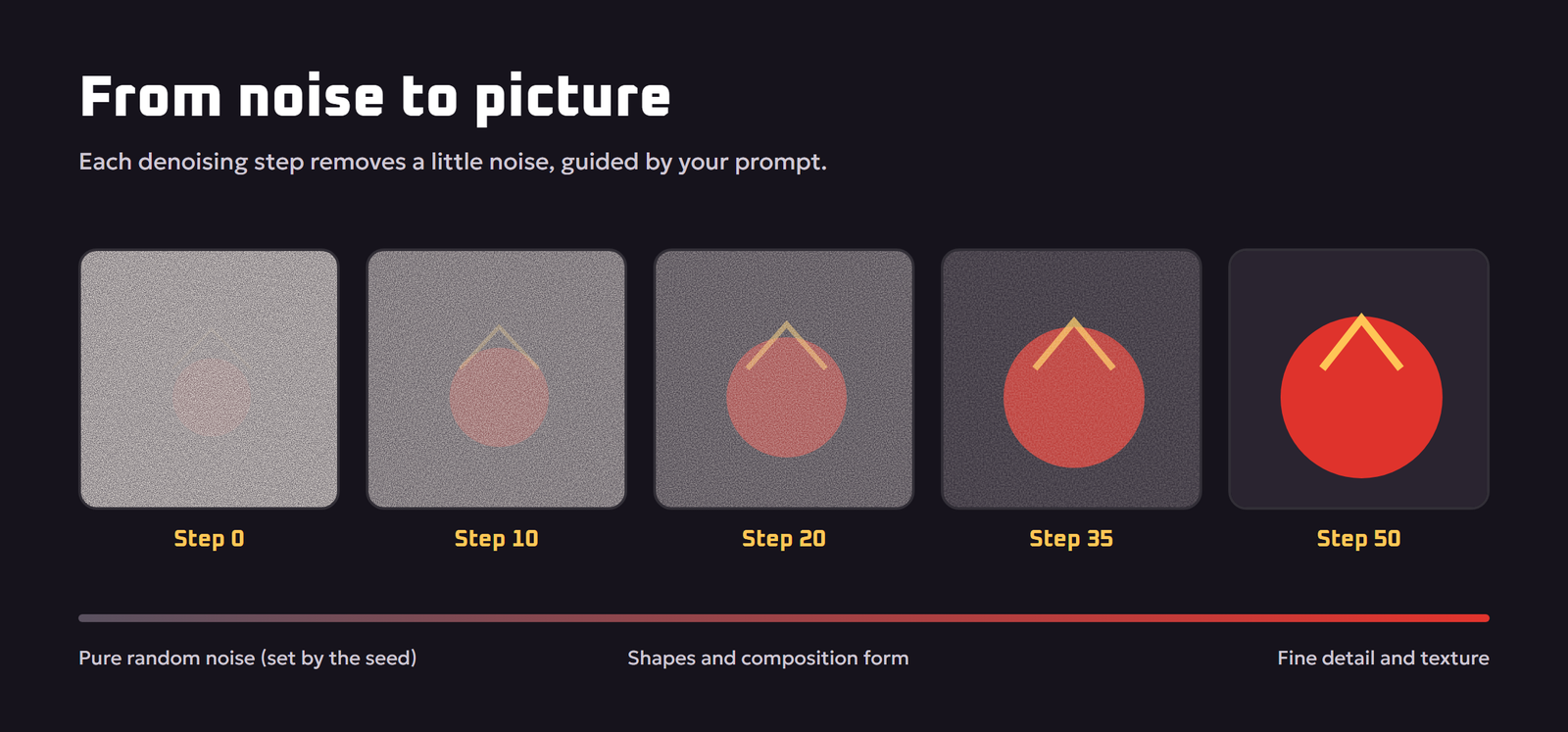
Most modern AI image generators are diffusion models. During training they learn to remove noise from images. To create a new image, they start with pure random noise and remove that noise step by step, guided by your text prompt, until a clear picture appears that matches the description.
Three parts work together:
- A text encoder that turns your prompt into numbers the model understands.
- A denoising network that predicts and removes noise, step by step.
- A decoder that turns the model’s internal result into the final pixels you see.
Step 1: Learning From Millions of Images
Before an image generator can draw anything, it is trained on a very large collection of images paired with text descriptions. The model never stores those images like a photo album. Instead, it learns statistical patterns: what fur looks like, how light falls on metal, how the word “watercolor” relates to soft edges and paper texture.
The training trick behind diffusion is surprisingly simple. Take a real image, add a little random noise, then a little more, until the picture is pure static. The model is shown these noisy versions and asked to predict the noise that was added. Repeat this an enormous number of times and the model becomes very good at one job: looking at a noisy image and estimating what the clean image underneath should look like. This approach was popularized by the 2020 research paper Denoising Diffusion Probabilistic Models.
Step 2: Turning Your Words Into Numbers
Computers cannot read words, so your prompt is first converted into a list of numbers called an embedding. A text encoder, a separate neural network trained on huge numbers of image and caption pairs, places words and phrases in a mathematical space where related ideas sit close together. “Dragon”, “wings” and “fire” end up near each other, and “oil painting” sits near “brush strokes” and “canvas”.
This embedding is what lets the image model connect your words to visual patterns. It is also why the exact wording of a prompt matters: different words land in slightly different places and pull the image in different directions.
Step 3: From Noise to Picture
Now the actual generation starts:
- The model creates a canvas of random noise. The exact noise pattern is decided by a number called the seed.
- At each step, the denoising network looks at the current noisy canvas and your prompt embedding, predicts which part of it is noise, and removes some of it.
- After the first few steps, rough shapes and colors appear. Middle steps form objects and composition. Final steps add fine detail and texture.
- After a set number of steps, the result is decoded into the final image.
Because the model is always “guessing what the clean image should be” based on your words, the final picture is new. It is assembled from learned patterns, not copied from a single training image.
Why most generators work in “latent space”
Removing noise from millions of pixels at every step is slow and expensive. Many popular models, including Stable Diffusion, use a shortcut described in the paper High-Resolution Image Synthesis with Latent Diffusion Models. An encoder first compresses images into a much smaller “latent” representation. Diffusion happens in that compact space, and a decoder expands the result back into full-size pixels at the end. This is why these models can run on a gaming graphics card rather than a supercomputer.
The Settings Explained: Seed, Steps, Guidance and More
Many image tools expose a few settings. Here is what each one really controls.
| Setting | What it does | Practical tip |
|---|---|---|
| Seed | Picks the starting noise pattern | Reuse the same seed to make small prompt changes while keeping the composition |
| Steps | How many denoising passes the model makes | More steps add detail up to a point, then only add time |
| Guidance scale (CFG) | How strongly the image follows the prompt | Too low drifts from your prompt, too high looks harsh or oversaturated |
| Negative prompt | Things you want the model to steer away from | Use for common problems such as “blurry, extra fingers, watermark” |
| Aspect ratio | The shape of the canvas | Choose it before generating; it changes composition, not just cropping |
| Sampler | The math used to step from noise to image | Defaults are fine for most users; change only when experimenting |
The guidance setting comes from a technique called classifier-free guidance. In simple terms, the model makes two predictions at each step, one with your prompt and one without it, and pushes the image further in the direction of your prompt. Higher guidance means a stronger push.
Text to Image, Image to Image and Inpainting
- Text to image. You start from pure noise and a prompt. This is the classic mode.
- Image to image. You start from your own picture with some noise added, so the result keeps your composition but changes the style or details. A “strength” setting controls how much changes.
- Inpainting. You mask part of an image, and the model regenerates only that area. Great for removing objects or fixing hands.
- Outpainting. The model extends the image beyond its original borders.
- Upscaling. A separate model increases resolution and adds fine detail.
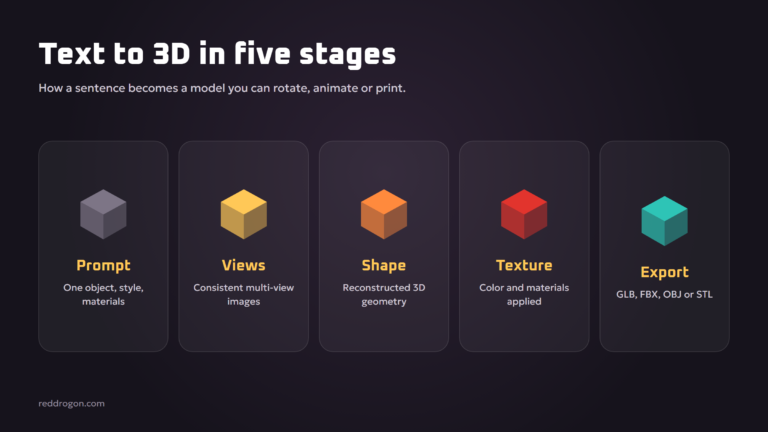
The same diffusion idea now powers video and 3D generation as well. Our explainer on text to 3d ai shows how it is being stretched into three dimensions.
Why AI Struggles With Hands, Text and Counting
AI image generators have improved a lot, but some weaknesses come straight from how they work.
- Hands. Hands appear in endless poses and are often partly hidden in training photos. The model learns “hand-like texture” better than “exactly five fingers in this pose”.
- Text in images. Older models saw letters as shapes, not spelling, which produced gibberish signs. Newer models are far better at short text, but long sentences can still go wrong.
- Counting and positions. “Exactly seven apples” or “the cat to the left of the dog” are hard because the text embedding captures meaning more than precise numbers and layout.
- Consistency. Keeping the same character identical across many images is difficult without special features such as reference images or character consistency tools.
How to Write Better Image Prompts
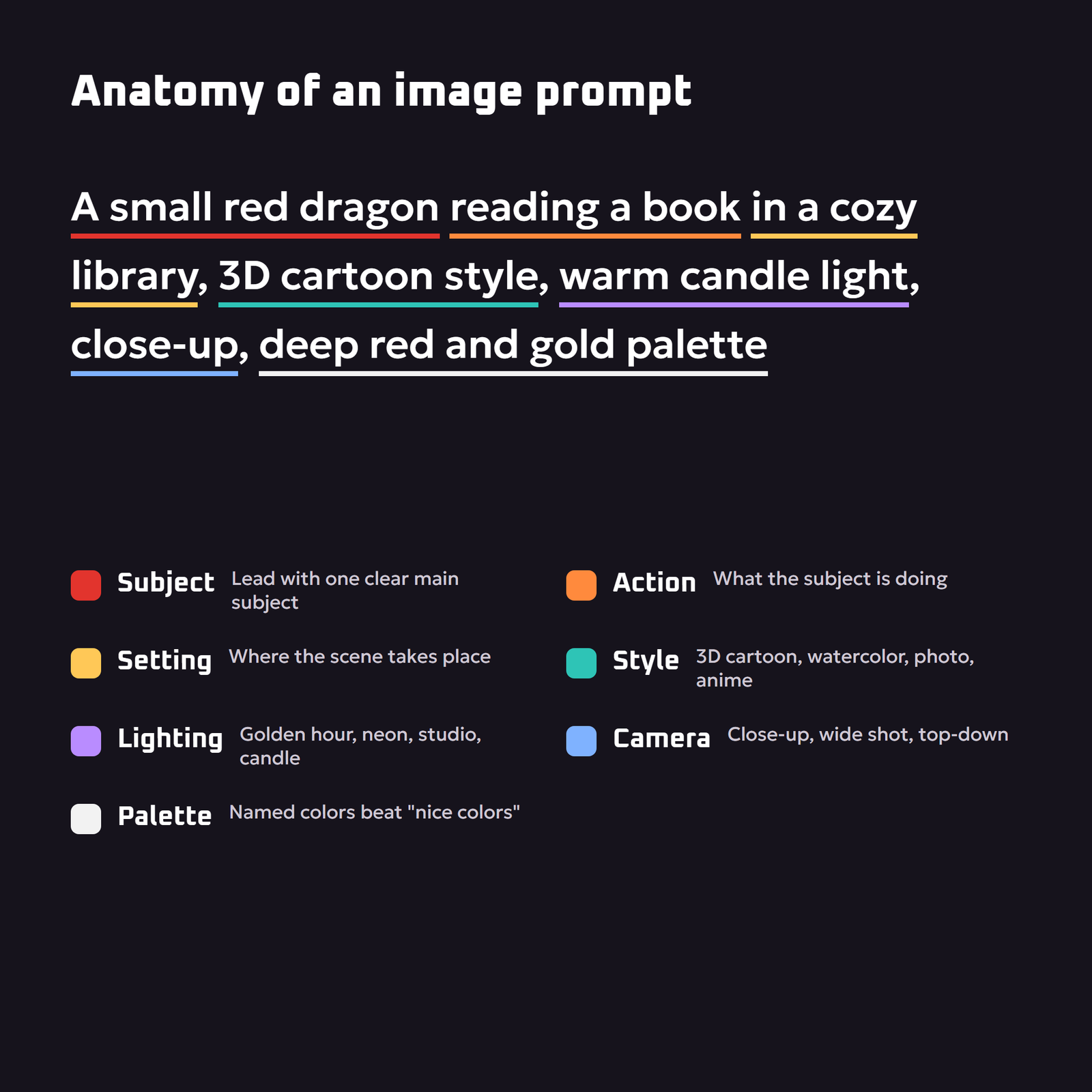
Knowing that your words become directions in a mathematical space makes prompting easier. Clear, concrete words give clear directions.
- Lead with the subject. “A small red dragon” is better than “a cute thing”.
- Add an action and setting. “reading a book in a cozy library”.
- Name a style. 3D cartoon, watercolor, cinematic photo, pixel art, anime, isometric.
- Describe the light. Golden hour, neon glow, soft studio light, candle light.
- Set the camera. Close-up, wide shot, top-down view, low angle.
- Choose colors. “Deep red and gold palette” is more reliable than “nice colors”.
- Keep one main subject. Several unrelated subjects compete for attention and blend together.
- Iterate with the same seed. Change one word at a time to see what it does.
For more on writing prompts for any AI tool, see our full prompt engineering guide.
Popular AI Image Generators Compared
Every generator uses the same broad idea but makes different trade-offs. Features change often, so treat this as a general guide and check each tool’s current plans.
| Type of tool | Strengths | Good for |
|---|---|---|
| Chat-based image generators | Easy to use, understand long natural prompts, good at text in images | Beginners, social posts, quick illustrations |
| Art-focused platforms | Strong default aesthetics and style control | Concept art, mood boards, posters |
| Open models you can run yourself | Full control, custom models, no per-image fees, privacy | Power users, studios, custom styles |
| Design-app integrations | Generate inside tools you already use, with editing built in | Marketing teams and designers |
Open models can even run on your own computer. The same hardware rules that apply to text models apply here, as we explain in our guide to run an llm locally.
Copyright, Ownership and Responsible Use
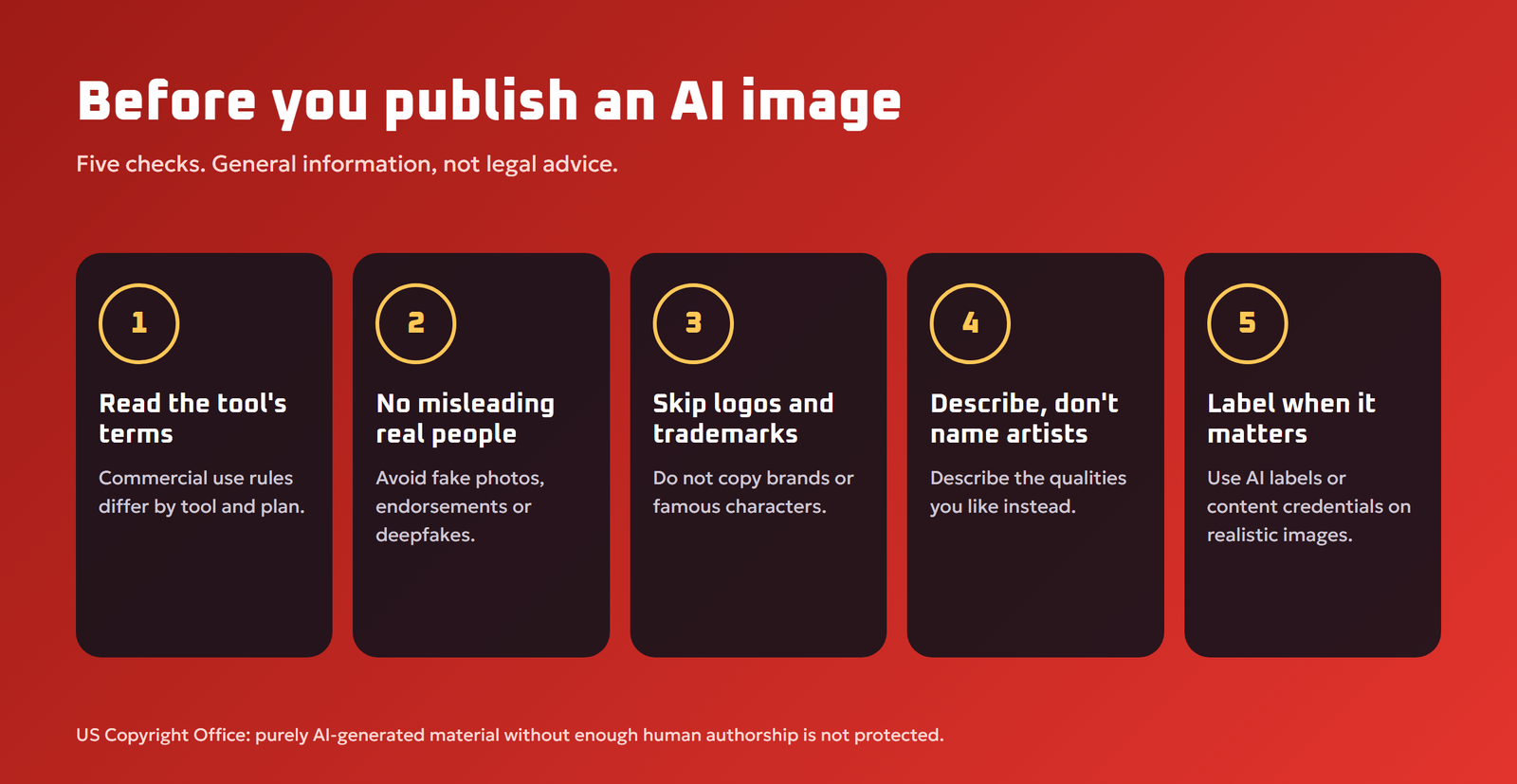
The law around AI images is still developing and differs by country, so this is general information, not legal advice.
- Ownership. In the United States, the US Copyright Office has said that material generated purely by AI without enough human creative control is not protected by copyright. Human editing, arrangement and selection can change that analysis.
- Terms of service. Each tool sets its own rules on commercial use. Read them before selling or advertising with AI images.
- Real people and brands. Do not create misleading images of real people, fake endorsements, or images that copy trademarks and logos.
- Artist styles. Imitating a living artist’s distinctive style is legally gray in many places and often ethically questionable. Describe the qualities you like instead of naming the artist.
- Label AI images when it matters. Industry standards such as C2PA Content Credentials attach information about how an image was made, and some platforms require AI labels on realistic content.
Also be careful with the photos you upload for image-to-image editing. Avoid uploading private photos of other people without permission. Our ai privacy and safety guide covers this in more detail.
Where AI Image Generation Is Heading
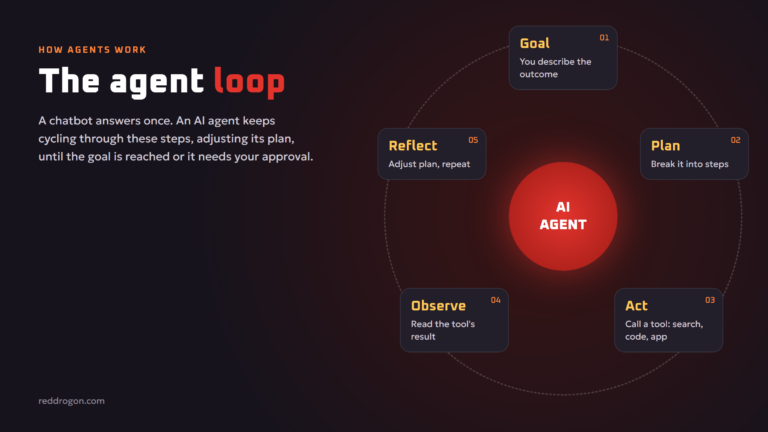
The next wave is about control and consistency: generating the same character across a whole comic, editing images with plain-language instructions (“make the jacket blue and remove the car”), higher resolution, better text, and the same techniques applied to video and 3D models. Image generators are also being built into agents that create, check and revise images automatically against a brief, an idea we explain in our guide to agentic ai.
Image Generation Mistakes Beginners Make
- Writing a story instead of a scene. Long narrative prompts about what happened before and after confuse the model. Describe what the camera sees in one moment.
- Changing everything at once. If you change the subject, style and lighting together, you cannot tell which word caused the improvement. Change one thing at a time.
- Ignoring aspect ratio. A portrait character squeezed into a wide banner often gets cropped or duplicated. Choose the canvas shape that fits the subject.
- Expecting perfect text. Keep text in images short, and add longer text in a design tool afterwards.
- Upscaling too early. Pick the best composition at normal size first, then upscale only the final choice.
- Forgetting the purpose. A thumbnail needs bold shapes and contrast, while a poster can carry fine detail. Mention where the image will be used.
A good habit is to keep a simple log of prompts, seeds and settings for images you like. Over time it becomes your personal style guide, and you can recreate a look in seconds instead of guessing again.
Quick Start: Your First Image in Five Minutes
- Open any image generator and choose a square canvas.
- Type a simple prompt: subject, action, setting and style.
- Generate four versions and pick the one with the best composition.
- Change one word, such as the lighting, and generate again with the same seed.
- Save the prompt and seed of the version you like best.
Key Terms Explained
- Diffusion model: an AI that creates images by removing noise step by step.
- Latent space: a compressed internal representation where many models do their work before decoding to pixels.
- Embedding: a list of numbers that represents the meaning of your prompt.
- Inpainting: regenerating only a masked area of an image.
- Upscaling: increasing image resolution and adding fine detail with a separate model.
Key Takeaways
- Your prompt becomes directions, and the model removes noise toward them.
- Seed, steps and guidance each control a different part of the result.
- Specific subjects, styles, lighting and composition give better images.
- Check each tool’s terms and avoid misleading images of real people.
Frequently Asked Questions
How do AI image generators work in simple terms?
They are trained to remove noise from images. To make a new picture, they start with random noise and remove it step by step, guided by your text prompt, until an image that matches the description appears.
What is a diffusion model?
A diffusion model is a type of AI that learns by adding noise to training images and predicting that noise. It generates new images by reversing the process, turning noise into a clear picture over many small steps.
Do AI image generators copy existing images?
They are designed to learn patterns rather than store images, and they generate new pictures from noise. However, models can sometimes reproduce very common or heavily repeated images closely, which is one reason copyright questions remain open.
What does the seed mean in AI image generation?
The seed is a number that sets the starting noise pattern. Using the same seed, prompt and settings usually gives the same image, which helps you make small controlled changes.
What is CFG or guidance scale?
Guidance scale controls how strongly the image follows your prompt. Low values give the model more freedom, while very high values can make images look harsh or oversaturated.
Why are AI-generated hands often wrong?
Hands appear in many complex poses and are often partly hidden in training photos, so models learn their general texture better than their exact structure. Newer models make fewer mistakes, and inpainting can fix the rest.
Can I use AI-generated images commercially?
It depends on the tool’s terms of service and your local law. Many tools allow commercial use on certain plans, but you should avoid real people, trademarks and imitating specific artists.
Who owns AI-generated images?
Ownership depends on the tool’s terms and your country’s law. In the United States, purely AI-generated material without sufficient human authorship is not protected by copyright, while human creative contributions can be.
Can I run an AI image generator on my own computer?
Yes. Open models such as Stable Diffusion can run locally on a computer with a capable graphics card, giving you more control and privacy than online tools.
Final Thoughts
AI image generators are noise-removal machines guided by language. Your prompt becomes a set of directions, the seed sets the starting static, and each denoising step pulls the picture closer to your words. Understand that, and you will write clearer prompts, use settings with purpose, fix problems faster and publish AI images responsibly. Tools and features change quickly; this guide reflects the state of the technology in November 2026.