Prompt Engineering Guide: How to Write AI Prompts That Work
Two people can ask the same AI model for help and get completely different results. One gets a vague, generic answer. The other gets a sharp, ready-to-use draft. The difference is rarely the model. It is the prompt.
Prompt engineering is the skill of writing instructions that get reliable, high-quality output from AI tools such as ChatGPT, Claude, Gemini and the assistants inside Red Drogon. You do not need to code to learn it. This guide gives you a simple formula, the techniques that matter most, ready-to-copy templates, and the mistakes that quietly ruin results.
What Is Prompt Engineering?
A prompt is everything you give an AI model before it answers: your question, instructions, examples, documents and rules. Prompt engineering is the practice of designing that input so the model understands exactly what you want, in what form, and for whom.
Language models predict a likely response to the text they see. When your prompt is vague, the most “likely” answer is a generic one. When your prompt is specific about the goal, the audience, the format and the limits, the model has far less room to guess. The companies that build these models publish their own advice, and it agrees on the basics. See the official guides from OpenAI, Anthropic and Google.
The Six-Part Prompt Formula
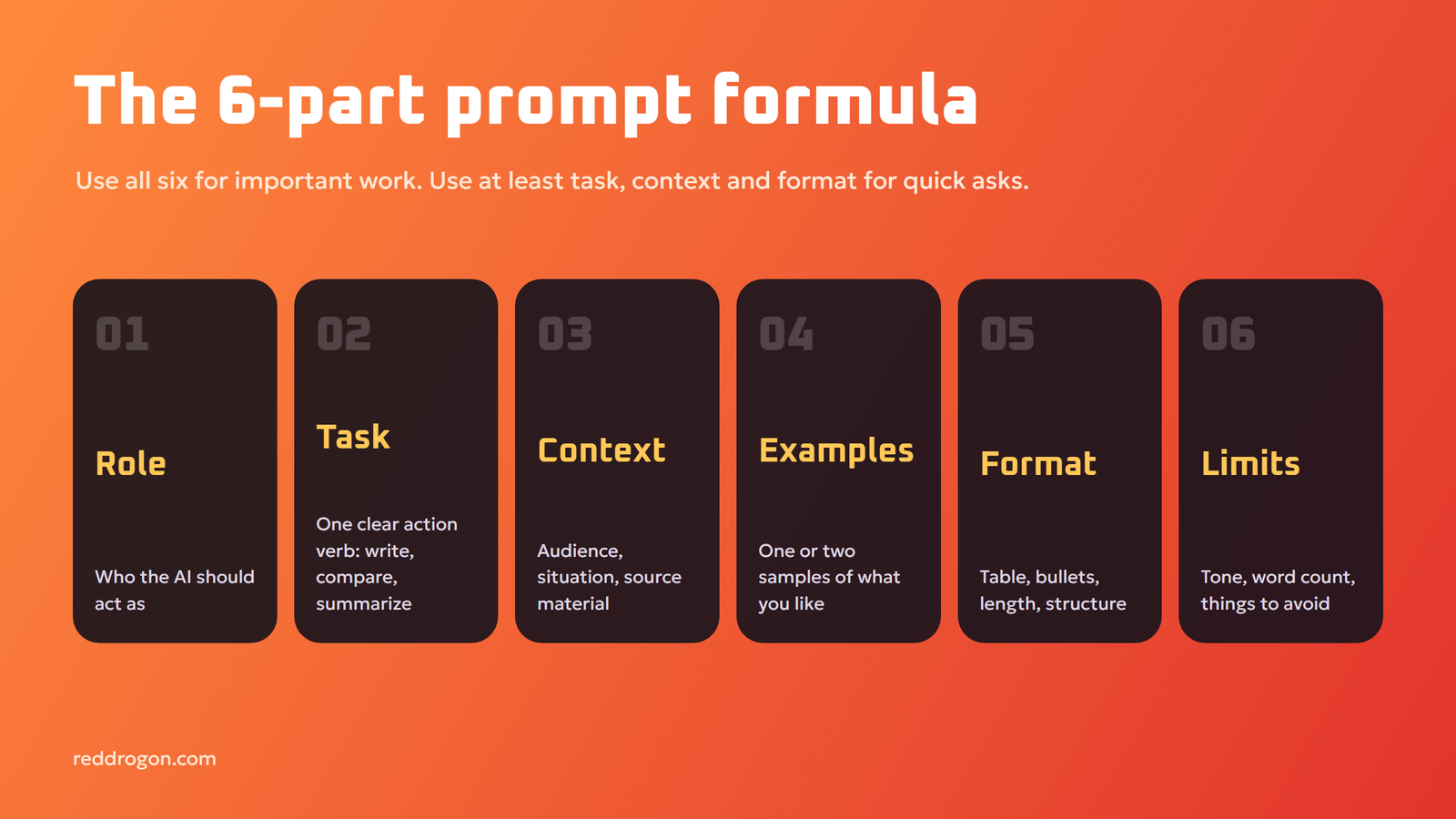
Most great prompts contain some or all of these six parts. You do not need every part every time, but the more important the task, the more of them you should use.
- Role. Who should the AI act as? “You are an experienced math tutor for teenagers.”
- Task. What exactly should it do? Use a clear action verb: write, summarize, compare, rewrite, list, explain.
- Context. What background does it need? Who is the audience, what is the situation, what have you already tried?
- Examples. Show one or two samples of the output you like. Examples are often more powerful than descriptions.
- Format. How should the answer look? A table, bullet points, a 150-word email, JSON, three headline options.
- Constraints. What must it avoid or respect? Word limits, tone, words to avoid, facts it must not invent.
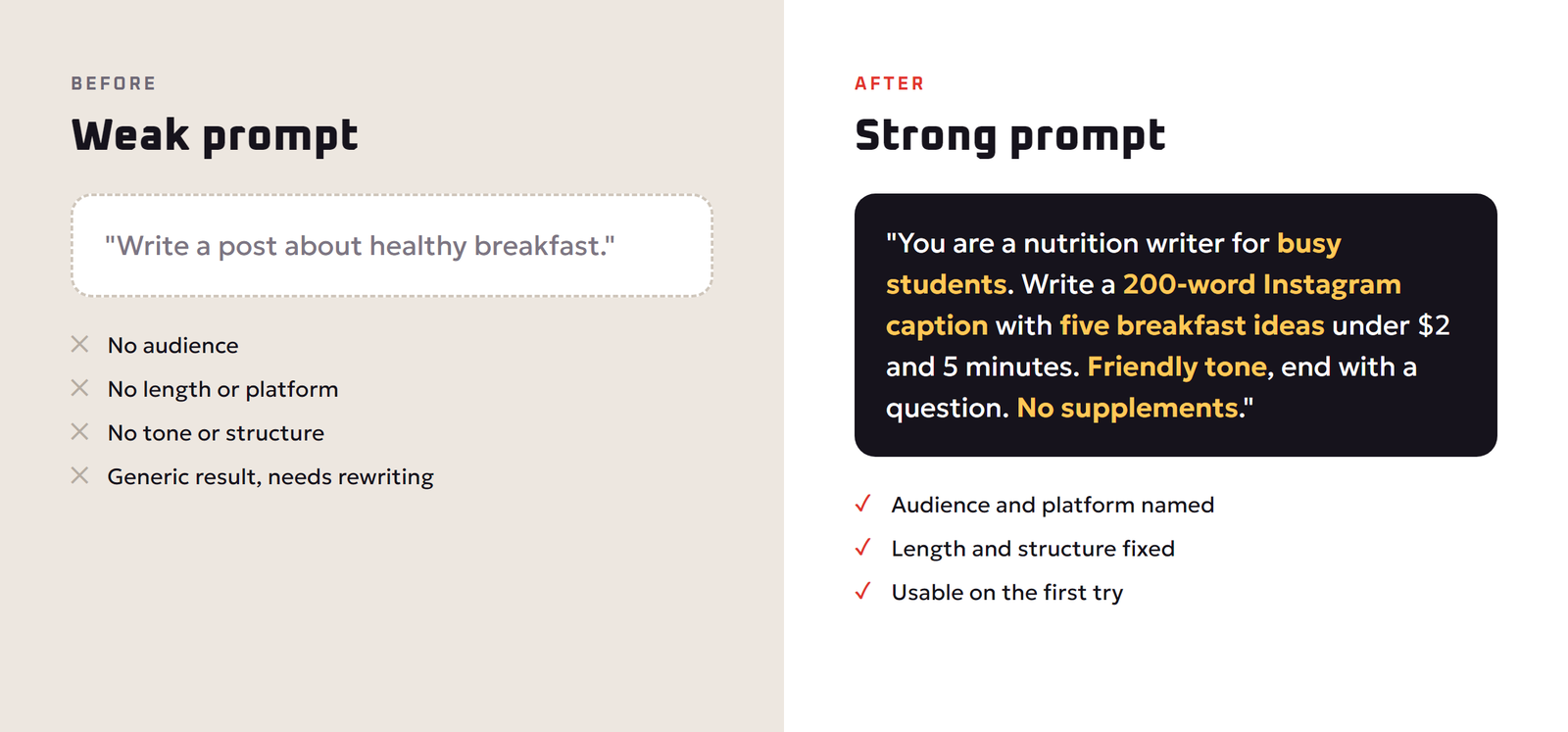
Here is the formula in action. A weak prompt: “Write a post about healthy breakfast.” A strong prompt: “You are a nutrition writer for busy university students. Write a 200-word Instagram caption with five quick breakfast ideas that cost under two dollars and take less than five minutes. Use a friendly tone, one emoji per idea, and end with a question to boost comments. Do not mention supplements.”
The second prompt tells the model the audience, length, platform, budget, time limit, tone, structure and one thing to avoid. The result is usable on the first try.
Core Prompting Techniques That Actually Work
1. Be specific and direct
Say exactly what you want instead of hinting. “Make this better” is vague. “Shorten this paragraph to two sentences and make the first sentence a question” is specific. Specific verbs, numbers and named audiences remove guesswork.
2. Give context, including the why
Models perform better when they know the purpose. “Explain photosynthesis” gets a textbook answer. “Explain photosynthesis to a ten-year-old who loves football, using a football analogy” gets an answer that fits the reader. Context also includes material: paste the email you are replying to, or the notes you want summarized.
3. Show examples (few-shot prompting)
Giving one or more examples of the output you want is called few-shot prompting. If you want product descriptions in a certain style, paste two you like and say “Write the next one in the same style for this product.” Examples teach tone, length and structure faster than any description.
4. Ask for step-by-step reasoning on hard problems
For math, logic, planning and analysis, ask the model to think through the problem before giving the final answer, or to list the steps it took. Many newer “reasoning” models do this automatically, but asking for clear steps still makes the answer easier for you to check.
5. Use clear structure and separators
When a prompt includes instructions and a long document, separate them clearly. Put the document between markers such as triple quotes or labeled tags like <article> and </article>, and put your question after it. This stops the model from confusing your instructions with the text it is working on.
6. Specify the output format
Ask for exactly the shape you need: “Return a table with columns Feature, Free plan, Paid plan” or “Give me three subject lines, each under 50 characters”. Format instructions save you the time of reformatting.
7. Assign a role
“Act as a senior lawyer reviewing this contract for risks” focuses the model on the right knowledge and tone. Roles work best combined with a clear task, not as a replacement for one.
8. Break big jobs into steps (prompt chaining)
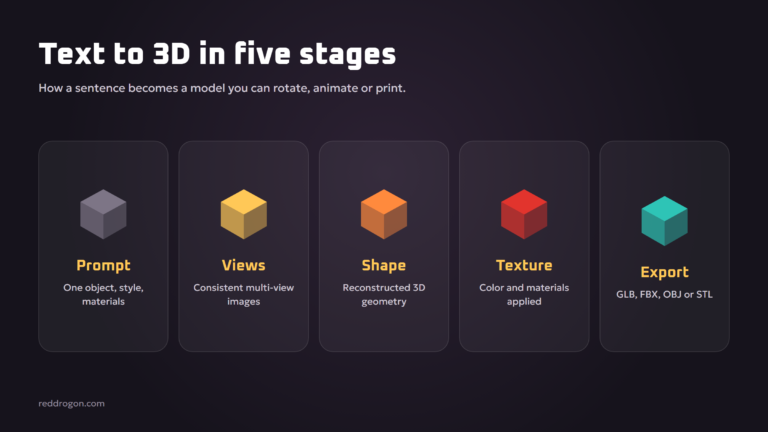
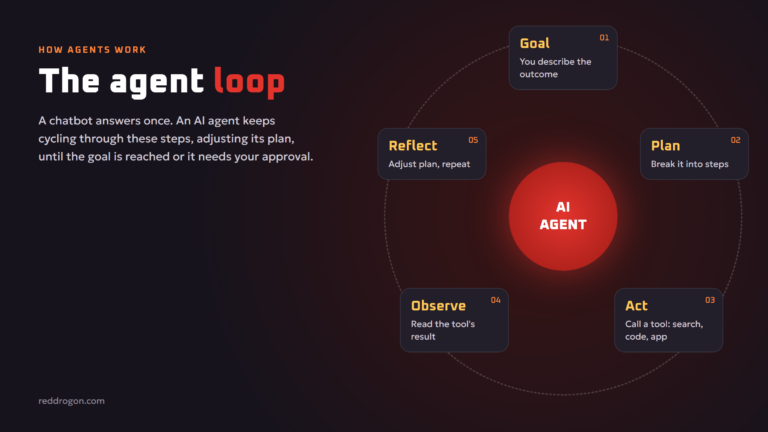
Instead of asking for a complete 3,000-word report in one go, ask for an outline, review it, then ask for each section. Chaining smaller prompts gives you control at every stage and higher quality overall. The same idea powers AI agents, explained in our guide to agentic ai.
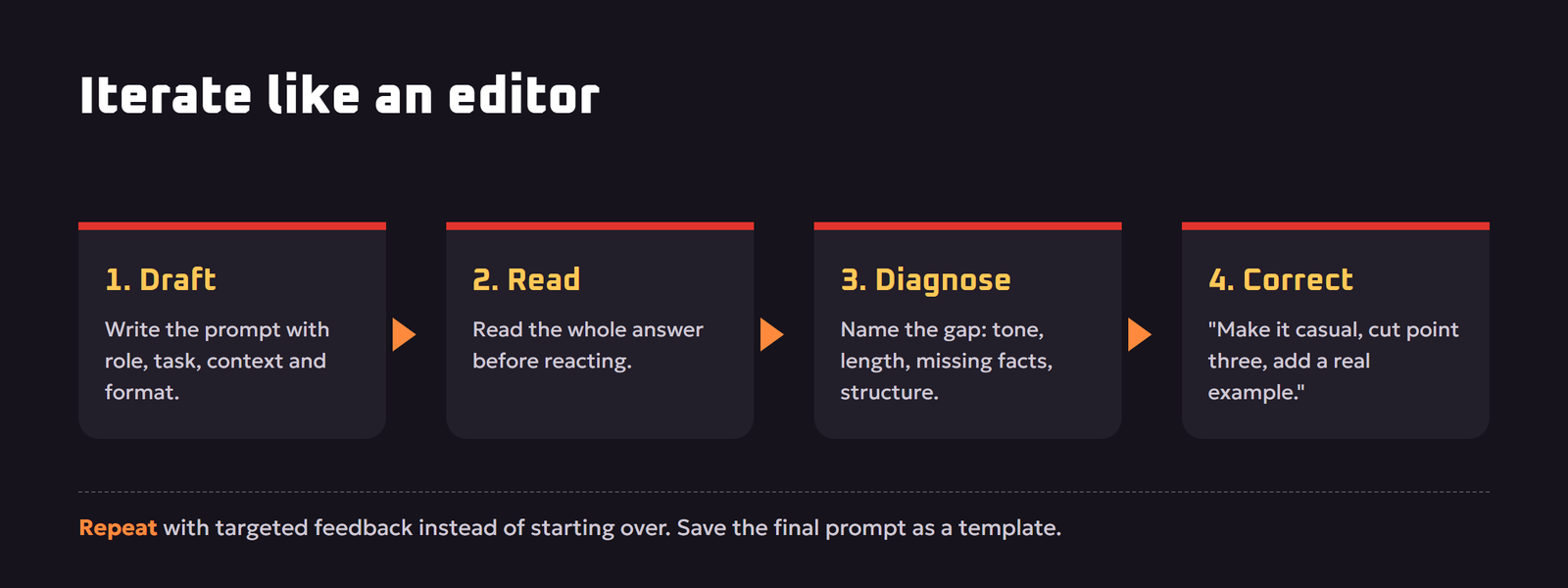
9. Iterate like an editor
Your first prompt is a first draft. Read the answer, then give precise feedback: “Good, but make the tone more casual, cut the third point, and add a real example.” Small, targeted corrections beat starting over.
Prompt Templates You Can Copy
Replace the parts in square brackets with your own details.
Writing
“You are a [type of writer] writing for [audience]. Write a [length and format] about [topic]. Use a [tone] tone. Include [must-have points]. Avoid [things to avoid]. End with [call to action or closing].”
Summarizing
“Summarize the text between the <doc> tags for [audience]. Give me five bullet points, each under 20 words, then one sentence on what action I should take. Only use information from the text. <doc>[paste text]</doc>”
Learning a topic
“Explain [topic] to me as if I am [level, e.g. a complete beginner]. Use one real-world analogy, then give me three practice questions with answers hidden at the end.”
Decision making
“I need to choose between [option A] and [option B] for [goal]. My priorities are [list]. Compare them in a table on cost, effort, risk and long-term value, then give a recommendation and the main reason.”
Email reply
“Draft a polite, firm reply to the email below. I want to [goal, e.g. decline the request but keep the relationship]. Keep it under 120 words. Email: [paste]”
Image generation
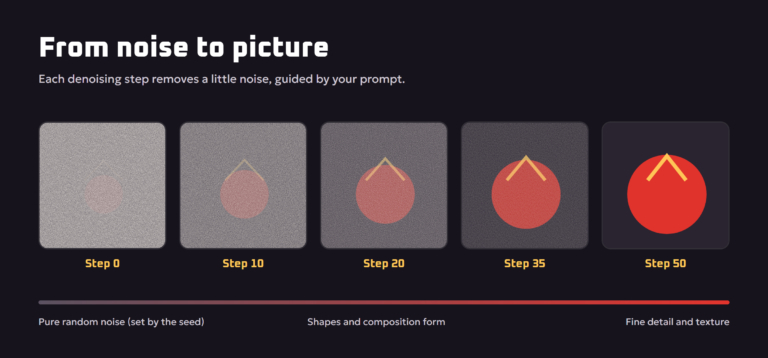
“[Subject] [doing action], [setting], [art style], [lighting], [camera angle or composition], [color palette], high detail.” For example: “A red dragon reading a book in a cozy library, 3D cartoon style, warm candle light, close-up, deep red and gold palette, high detail.” Our explainer on how ai image generators work shows why each part matters.
Coding
“I am using [language and version]. Write a function that [does what], with inputs [describe] and output [describe]. Handle [edge cases]. Add short comments and two example calls. Do not use external libraries.” More in our guide to ai for coding.
Prompting Different Types of AI Tools
| Tool type | What to include in the prompt | Common mistake |
|---|---|---|
| Chat assistants | Role, task, audience, format, constraints | One vague sentence with no context |
| Image generators | Subject, setting, style, lighting, composition, colors | Too many unrelated subjects in one image |
| Coding assistants | Language, versions, inputs, outputs, edge cases, existing code | Not pasting the error message or the relevant code |
| Research or search AI | Exact question, time frame, preferred sources, citation request | Trusting answers without opening the sources |
| AI agents | Goal, definition of done, allowed tools, actions that need approval | Giving broad access without clear limits |
Common Prompt Mistakes (and Fixes)
- Too vague. “Tell me about marketing.” Fix: name the goal, audience and format.
- Too many tasks at once. Asking for research, a plan, a draft and a social post in one prompt. Fix: split into a chain.
- Contradicting instructions. “Be detailed but keep it under 50 words.” Fix: decide what matters most.
- Negative-only instructions. “Don’t be boring.” Fix: say what you want instead: “Use short sentences, one surprising fact and a real example.”
- No source material. Asking for a summary of a document the AI has never seen. Fix: paste or upload the content.
- Accepting the first answer. Fix: give specific feedback and iterate.
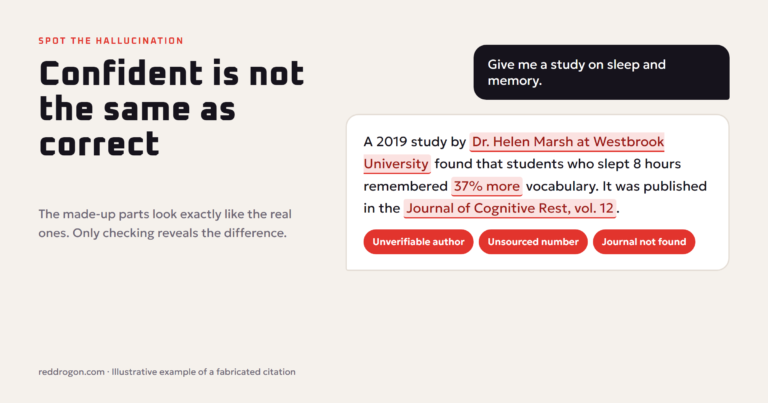
- Trusting facts blindly. AI can invent numbers, quotes and references. Fix: ask for sources, then check them. Our guide to ai hallucinations explains why this happens.
- Sharing private data. Fix: remove names, passwords and account numbers before pasting. See our ai privacy and safety tips.
Advanced Techniques for Better Results
Ask the AI to ask you questions first
End a prompt with “Before you start, ask me up to five questions that would help you do this well.” The model will identify missing context you did not think of, and the final answer improves noticeably.
Self-critique
After a draft, ask: “Review your answer against my original instructions. List anything you missed or got wrong, then give an improved version.” Models are often good at spotting their own gaps when asked directly.
Ground answers in your own documents
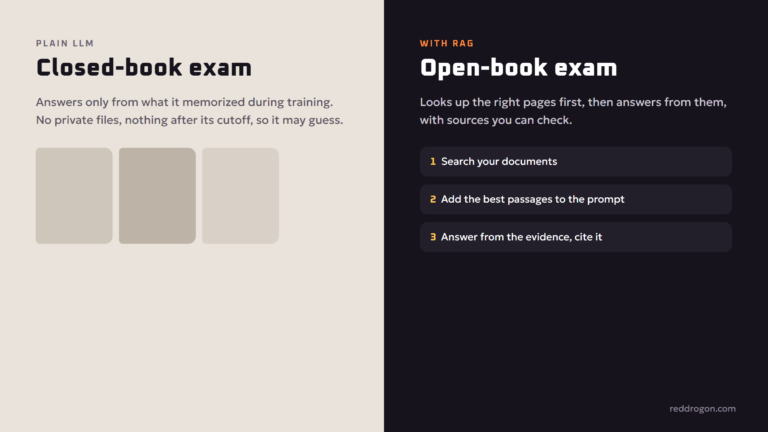
For company policies, product details or study notes, give the model the source text and tell it to answer only from that text and to say “not in the document” when it cannot find something. This is the core idea behind retrieval augmented generation, which businesses use to build reliable AI assistants.
Set a persona and keep it with a system prompt
Many tools let you save custom instructions or a system prompt that applies to every chat, such as your role, preferred tone and formatting rules. Set it once and every conversation starts from a better baseline.
Control length precisely
Models are better with concrete limits like “three bullet points” or “under 100 words” than with “short”. If length matters, count the items rather than the words.
Is Prompt Engineering Still Worth Learning?
Models keep getting better at understanding vague requests, so some people say prompting no longer matters. In practice, the opposite is true for serious work. Better models reward clear instructions even more, because they can follow detailed requirements that older models ignored. As AI moves from chat into agents that take real actions, the ability to state a goal precisely, define what “done” means and set limits becomes more important, not less.
Think of prompt engineering less as a bag of tricks and more as clear communication. It is the same skill that makes someone good at briefing a designer, delegating to a colleague or writing a job description. That is why it is useful for students, marketers, developers and business owners alike.
A 5-Minute Practice Routine
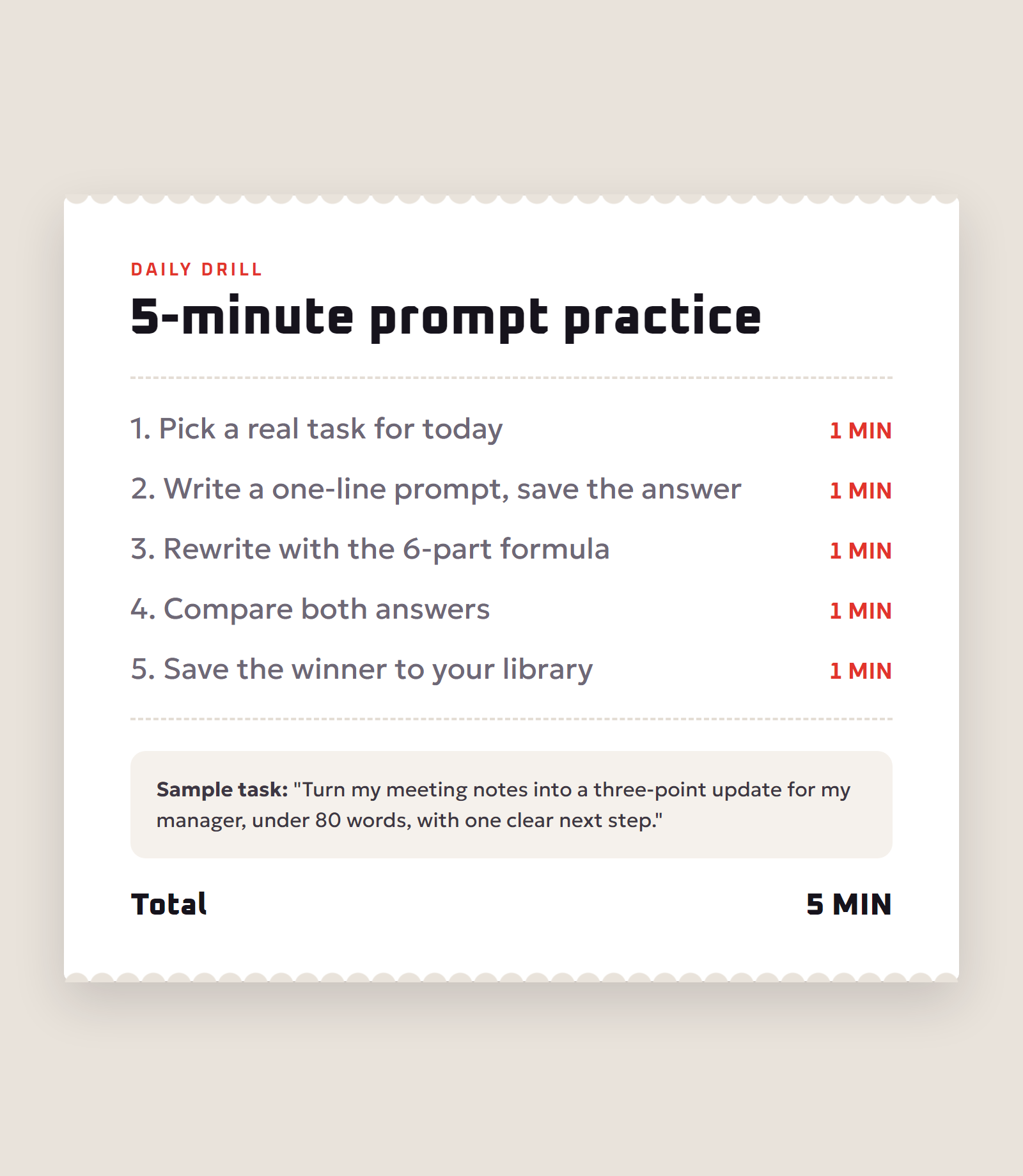
- Pick a real task you need done today.
- Write a one-line prompt and save the answer.
- Rewrite the prompt with the six-part formula and save that answer.
- Compare them and note which part made the biggest difference.
- Save your best prompts in a personal library and reuse them.
After a couple of weeks you will have a set of tested templates for your most common tasks, and you will write good prompts without thinking about the formula.
Real Before-and-After Prompt Examples
Seeing prompts improve side by side is the fastest way to learn. Here are three everyday examples.
Studying for an exam
Before: “Explain the French Revolution.”
After: “I have a high school history exam in three days. Explain the causes of the French Revolution in five short points, each with one date and one key person. Then give me five multiple-choice questions with answers at the end so I can test myself.”
The improved prompt names the level, the deadline, the structure, the details to include and a way to practice. The answer becomes a study tool instead of an encyclopedia entry.
Writing a job application
Before: “Write a cover letter for a marketing job.”
After: “Write a 250-word cover letter for a junior digital marketing role at a small e-commerce company. Use my experience below. Keep the tone confident but not boastful, open with a specific result I achieved, and finish with a clear request for an interview. My experience: [paste].”
Planning a project
Before: “Help me plan a website.”
After: “Act as a project manager. I want to launch a five-page website for a home bakery in six weeks with a budget of 300 dollars. Create a week-by-week plan in a table with tasks, owner (me or a freelancer) and estimated hours. Flag the two biggest risks.”
Notice the pattern: every improved prompt states who the output is for, what success looks like and what shape the answer should take.
Frequently Asked Questions
What is prompt engineering in simple words?
Prompt engineering is writing clear instructions for an AI tool so it gives you the result you want. It means telling the model the task, audience, context, format and limits instead of asking a vague question.
What is the best prompt formula?
A reliable formula is role, task, context, examples, format and constraints. Use all six for important work and at least the task, context and format for quick requests.
What is few-shot prompting?
Few-shot prompting means including one or more examples of the output you want in your prompt. The model copies the style, length and structure of the examples, which is often more effective than describing them.
How long should a prompt be?
As long as it needs to be to remove guesswork. A simple question can be one line, while a complex writing or analysis task may need a paragraph of context plus examples and format rules.
Does prompt engineering work for image generators?
Yes. Image prompts work best when they describe the subject, action, setting, art style, lighting, composition and color palette, and when you keep one main subject per image.
Can I learn prompt engineering without coding?
Yes. Prompt engineering is mostly clear writing and structured thinking. Coding only becomes useful when you want to connect AI models to apps through an API.
Why does AI ignore parts of my prompt?
Usually because the prompt is too long and unstructured, contains conflicting instructions, or buries key rules in the middle. Put the most important instructions clearly, use separators, and remove contradictions.
Is prompt engineering a real job?
Some companies hire for prompt engineering roles, but the skill is more often part of other jobs such as content creation, marketing, software development, data analysis and customer support.
How do I stop AI from making things up?
Provide the source material, tell the model to answer only from it, ask it to say when it does not know, request sources, and verify important facts yourself.
Final Thoughts
Prompt engineering is the fastest way to get more value from any AI tool you already use. Use the six-part formula, give examples, ask for a clear format, iterate like an editor and always verify facts. Start with the templates above, save the ones that work, and within a few weeks your AI results will look like the work of a different, much smarter tool.